Book a demo

Cockpit: Now Even More Powerful (and Personal)

New functionality

Cockpit: now even more powerful (and personal)

The cockpit has been expanded: you can now create multiple dashboards, both personal ones and shared ones for your entire company.

In addition, widgets are no longer limited to tables — you can also display them as counts, and freely scale them to your liking.
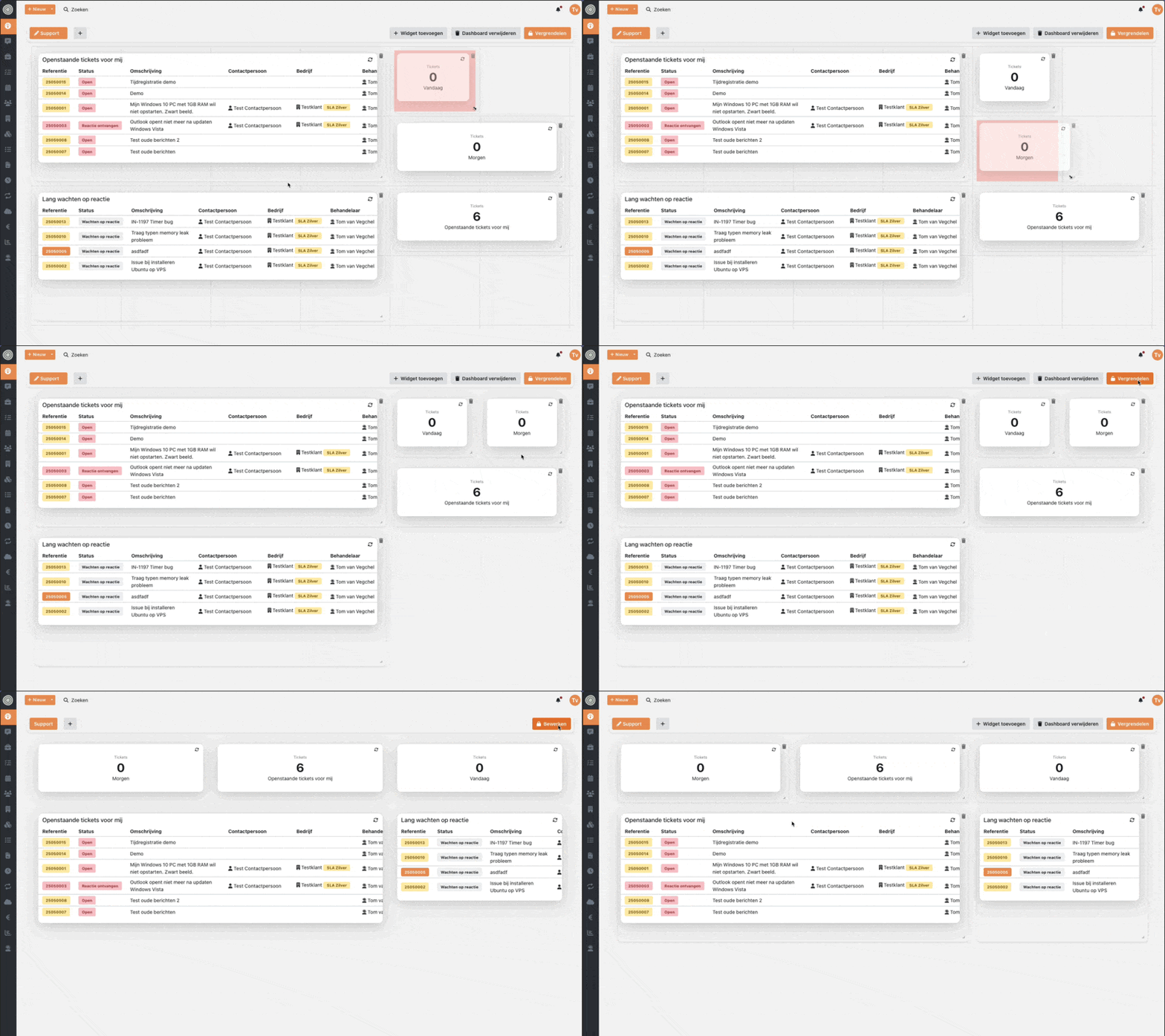
CleanShot 2025-06-11 at 21

View the guide: Personalizing the cockpit

Improvements & bugfixes

  • Quote stages can now be collapsed and easily dragged

  • Messages could be incorrectly truncated

  • Special characters supported: accents and symbols are now correctly displayed in messages

  • Issue resolved where typing within Inserve could become slow in some cases

  • Contacts deletable: the block on deleting contacts has been lifted

  • Configured colors are now correctly applied to the customer portal
Time Registration Update with Start and End Time Option

New in Inserve

We have completely revamped time registration to ensure consistency and ease of use throughout the entire application. This not only provides a better experience, but also allows you to manage your time more efficiently. What has been improved?

Add time directly

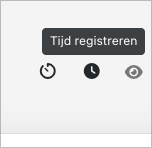
Quickly add time with the new button at the top of the ticket screen.

CleanShot 2025-05-14 at 11

Flexible time input

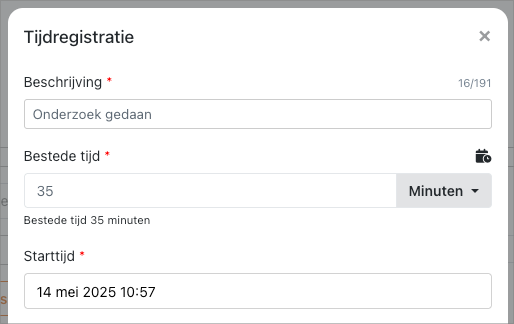
Simply type "1h" for one hour or "35m" for 35 minutes.

CleanShot 2025-05-14 at 11

Enter start and end times

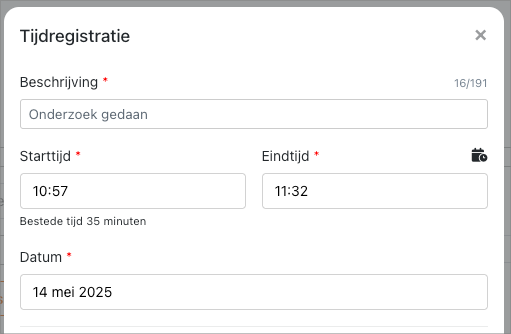
Enter a start and end time, and Inserve automatically calculates the time in between.

CleanShot 2025-05-14 at 11

Clear description limit

Descriptions now have a visible limit. You know exactly how much space you have, without unpleasant surprises.

CleanShot 2025-05-14 at 11

Resolved issues

  • When navigating between tickets, messages could incorrectly remain visible. This issue has now been resolved

Pin Messages, Custom Fields on Project Stages

New in Inserve

Pin messages

With the message pinning feature, you can place important messages at the top of a list so they always remain visible. This is useful for marking essential information, such as updates, announcements, or notes that should not be overlooked. Find all the details on using message pinning here.

Add custom fields to project stages

You can now also add custom fields to project stages. This was not possible until now.

Other resolved issues:

  • Signature was not visible when signing work orders; this has now been resolved

  • Product synchronization in WeFact no longer has a limit of 1000 products

  • We resolved an issue that could cause you to be logged out of Inserve

  • Resending a quote now correctly updates the date of sending

  • The multi-select search field is now correctly cleared when using the 'clear filters' option

  • Synchronization in TDSynnex no longer stops at products without a name

  • Invoice lines without a date no longer give an error when exporting to Moneybird

  • It is no longer possible to send a quote without a linked contact person or email address

  • The filter 'Linked = No' now works correctly for licenses

  • Error messages are now displayed correctly again

  • The 'Last Sync' time is now updated when navigating in billing integrations

  • The path in the notification to a quote is now correct

  • The synchronization in N-able N-sight RMM now takes archived companies into account

New Tags for Invoice Lines and More

New features

  • Tags added to invoice lines: creation date and closing date

  • The number of invoice periods for subscriptions is now correctly included in the CSV export

Bugfixes

  • Issue resolved where the redirect after login did not work

  • Stability issue resolved that caused the time registration overview to not always load

  • Ended subscriptions can now be correctly deleted

  • The sorting of deals on the company card has been adjusted to the correct order

  • Notifications now support correct HTML formatting again

  • The 'Licenses' menu item is now only visible for users with the correct permissions

  • Inactive handlers no longer receive notifications

  • Project stages with linked lines and time entries can no longer be deleted

Notifications in Deals, Quotes and Project Stages (and more!)

Features

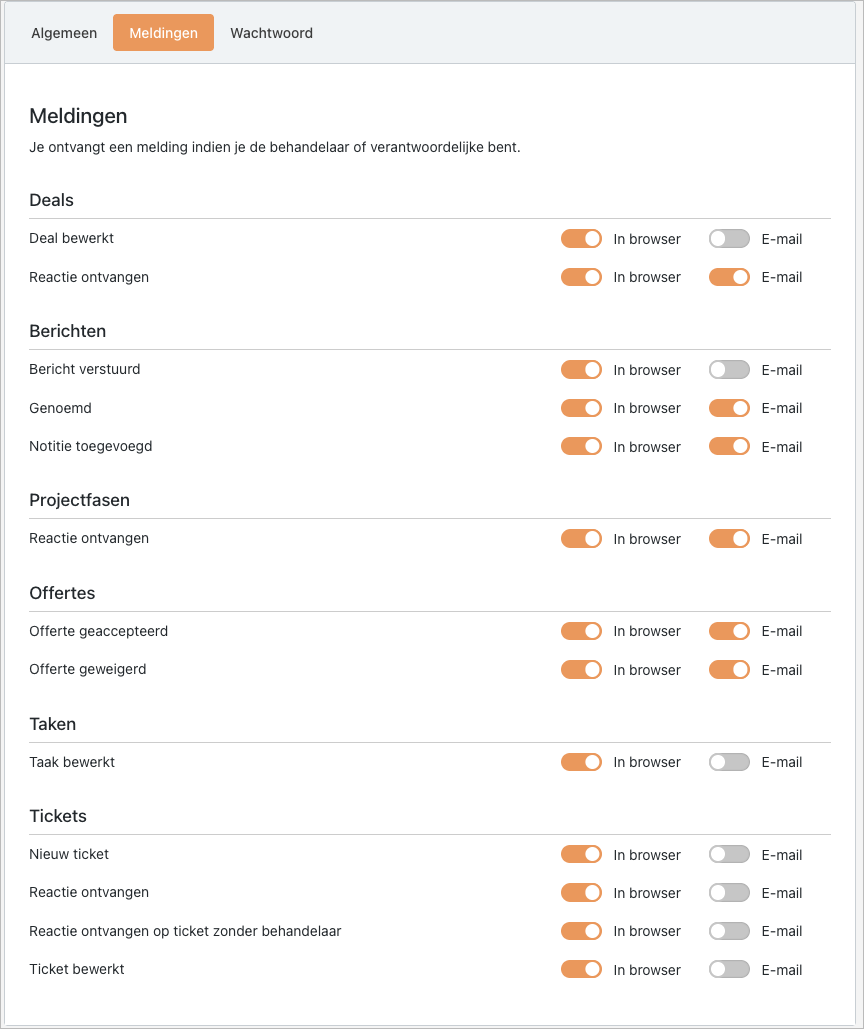
Configurable notifications

Notifications can now be configured for deals, quotes and project stages!

CleanShot 2025-03-18 at 20

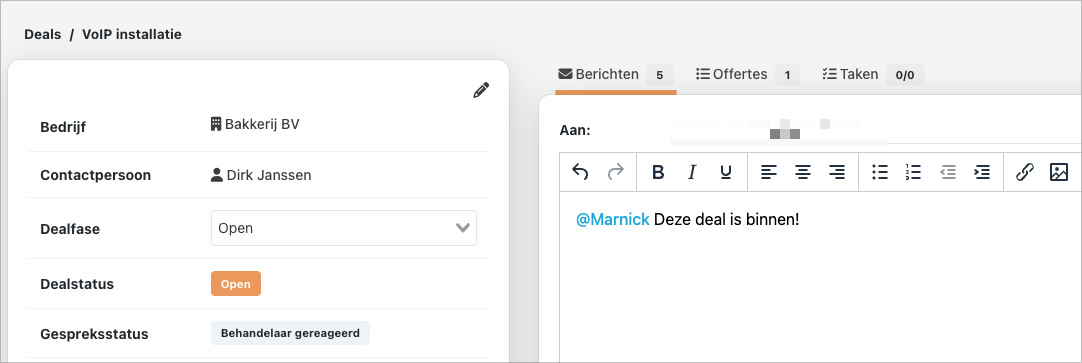
In addition, you can now @mention colleagues in all fields, such as in a deal:

CleanShot 2025-03-18 at 11

But also in other areas, such as projects. Read more in our documentation:

Configure notifications

Subscription improvements

The subscription functionality has received a significant performance boost! In addition, you now get direct insight into the current system settings:

CleanShot 2025-03-18 at 20

Bugfixes

  • Resolved: Messages no longer remain visible when switching between tickets and ticket templates

  • [Xelion] Contacts without a phone number are no longer included in the synchronization

  • [AFAS] Blocked contacts are now archived in Inserve

  • The debtor number is added when exporting time entries

  • You now receive a notification when a new ticket is created via the customer portal

  • Improved date validation when creating subscriptions via the API

January Update

Features

  • The price is no longer sent to Teamleader for a project stage line

  • Contracts have been greatly improved and are now recalculated at lightning speed

Bugfixes

  • Custom fields of the multi-select type now always show the correct selected value

  • Messages could not be truncated, resulting in very long messages appearing

  • The SLA timer now also starts when a reply is given via the customer portal

  • Contract calculations now work correctly, even in exceptional cases with billable periods

  • Pro-rata is now correctly applied when changes are made to the start date

  • The pop-up for checking off a task now appears consistently again

  • Quick filter counts are no longer incorrectly adjusted after automatic refresh

  • Sorting by ticket status now works correctly in combination with searching by ticket description

  • Column width can be set to minimum width again

  • Microsoft sync no longer overwrites phone numbers when they are empty in Azure

  • Issues with RoutIT license sync have been resolved where changes came back doubled in Inserve

  • The limit of 1000 products/companies in AFAS has been lifted

December Update

Features

  • Improved UI for setting recurring patterns on tickets

  • Debtor number can now be used as a magic field in quick replies

  • Ability to link multiple services to a contract

  • The end date is now included in the license sync

  • Pop-ups can now be confirmed with the Enter key

  • Option added to search in quick replies

  • In the customer portal, you can now deactivate the permission to add a message to an existing ticket

Bugfixes

  • Navigating from a template to a ticket did not refresh the messages

  • The new favicon is now visible in the customer portal

  • The TD Synnex sync could stop at a deleted license

  • TD Synnex did not correctly save the status of deleted licenses

  • Quotes can now only be accepted once

  • N-Central incorrectly created categories instead of asset categories

  • Signatures on work orders are now more readable in dark mode

  • Exact incorrectly retrieved warehouses, even when these were not available in all Exact packages

  • The search function in projects now returns correct results

  • After applying a template, notes are immediately loaded

  • The SLA no longer calculates incorrect time after adjusting the SLA

  • N-Central could stop the synchronization when a non-existing company was retrieved

  • Clicking a link in a custom field now opens the link correctly again

Custom Fields of a Ticket Can Be Made Visible When Viewing a Ticket

Features

  • Make custom fields visible in the customer portal when viewing a ticket

  • Option to hide the "New ticket" button in the customer portal

Bugfixes

  • Exact expired price now displayed correctly in Inserve

  • The "to" field could be visible while a message could not be sent

  • The "Licenses" tab on a company sometimes showed an error

  • In the customer portal, it was sometimes no longer possible to create a new ticket

  • The synchronization with RoutIT may have stopped working due to a changed URL

  • Quotes could be sent multiple times when double-clicking

  • Role changes are now saved in the activity log

  • Month no longer starts with a capital letter on the invoice

  • When applying a template, the company is no longer cleared

Custom Distributor, Filter on Differences in License Overview

Create your own custom distributor (API)

Push licenses directly into Inserve and immediately gain control over the changes. This allows you to directly use the subscription lines in Inserve. You provide the data to Inserve and we make sure the subscriptions are invoiced correctly.

CleanShot 2024-11-06 at 14

https://docs.inserve.nl/nl/article/eigen-distributeur-koppeling-api

Sort and filter on differences in the license overview

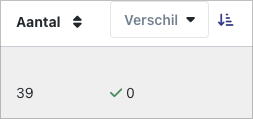
You now have the ability to sort and filter in the license overview, giving you direct visibility into outstanding differences.

CleanShot 2024-11-06 at 10

[Feature] The MS Graph connection now shows a notification when a user does not have permissions on the mailbox

[Feature] Inserve now only includes items from an accepted deal from Wefact when no invoice has been created directly, see https://docs.inserve.nl/nl/article/wefact#maak-automatisch-ticket-aan-bij-een-geaccepteerde-offerte

[Feature] A confirmation is now shown when exporting an invoice

[Feature] When sending time entries via PDF, you now see who the email will be sent to

[Bugfix] Invoice lines and project lines will never end up on the same invoice

[Bugfix] Post-calculation now appears on the next line in a quote when there are multiple lines

[Bugfix] Images in a quote template were not included

[Bugfix] Quote lines are now immediately deleted again

[Bugfix] ALSO sync now also shows one-time costs

[Bugfix] API keys can be copied again

[Bugfix] Datto RMM notifications now correctly link the company and asset

[Styling] Changes for dark mode and label colors

⬅ Vorige 2 van 10 pagina's (100 product updates) Volgende ➡