Book a demo

1.12.0 - Multiple Users in Same Ticket, Duplicate Assets, Unique Serial Number, Mobile Quick Filters and More!

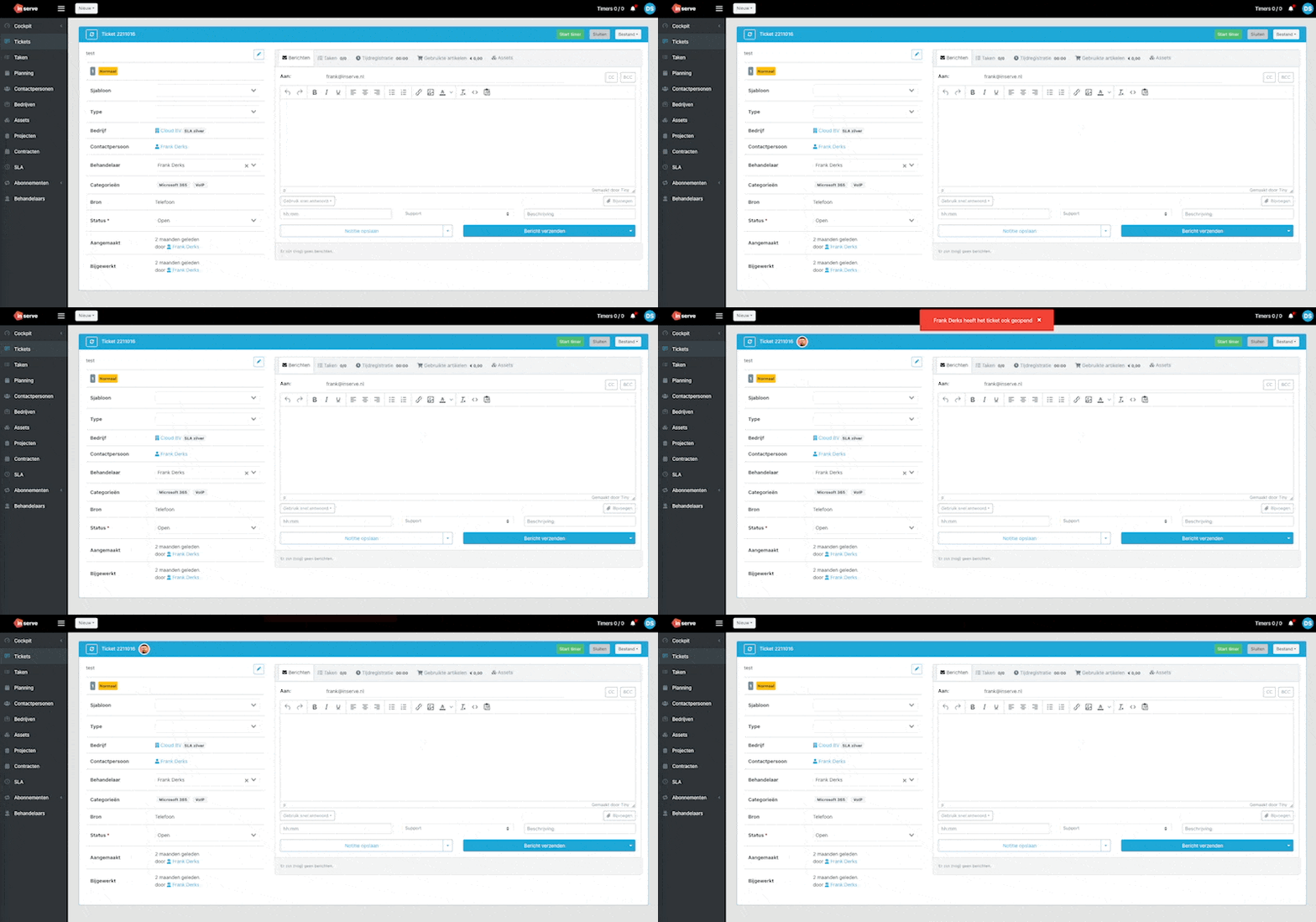
Show notification when another handler has the same ticket open

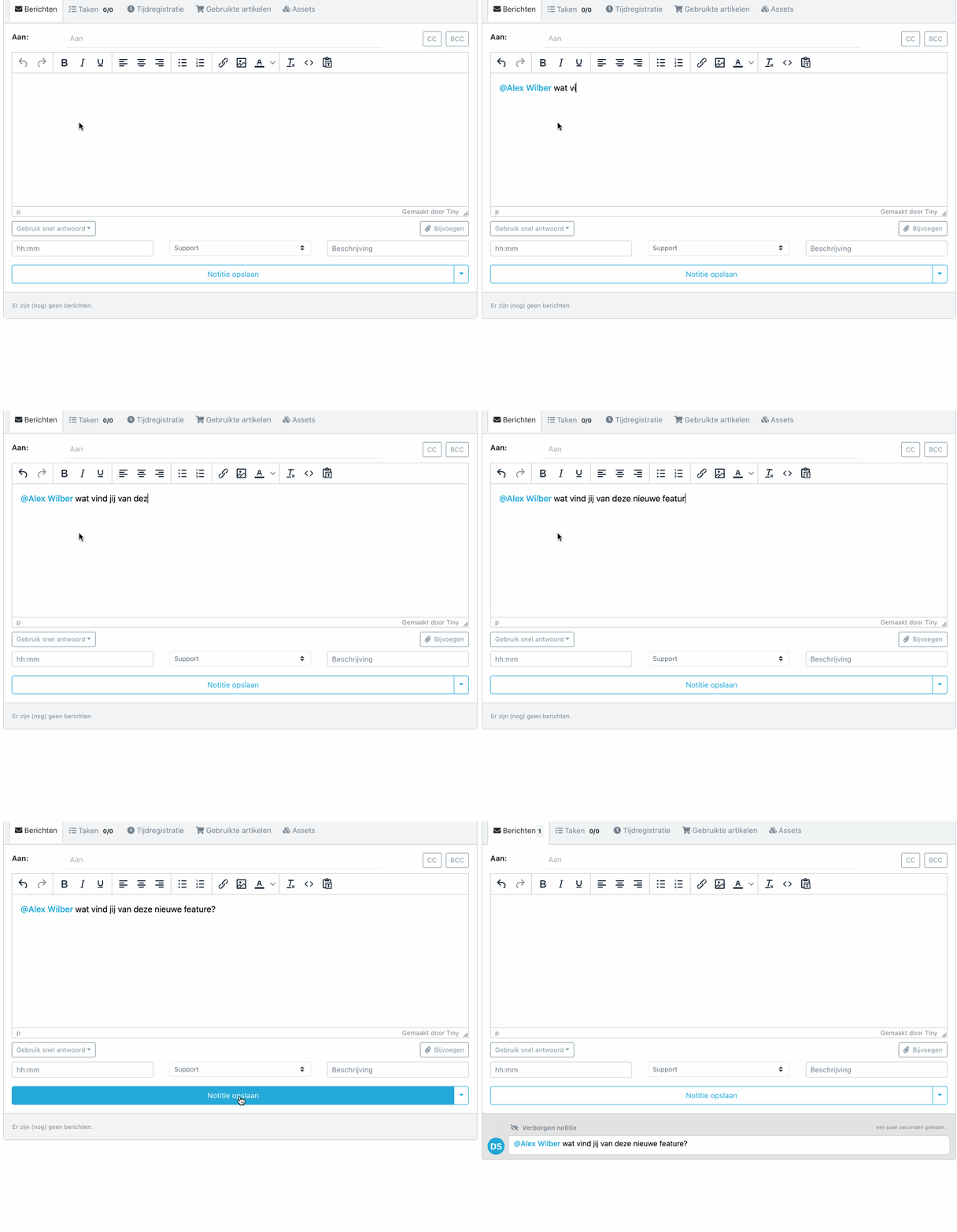
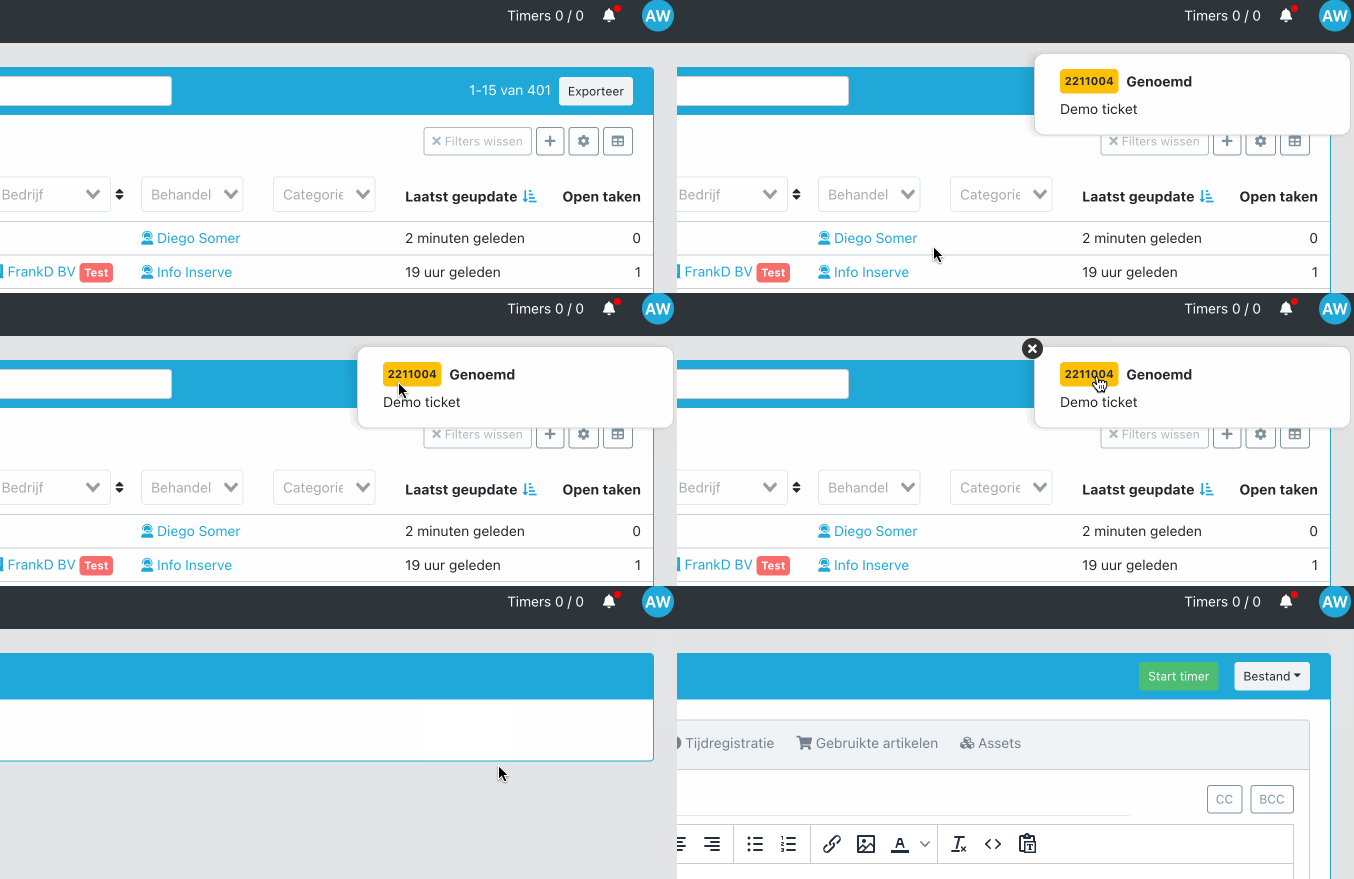
You can now immediately see within Inserve who else is working on the same ticket. This prevents accidentally sending a customer a message at the same time. You get an active notification when someone opens the same ticket and their avatars appear in the bar. This way you always know if another user is active in a ticket.
CleanShot 2023-01-26 at 13

Duplicate assets

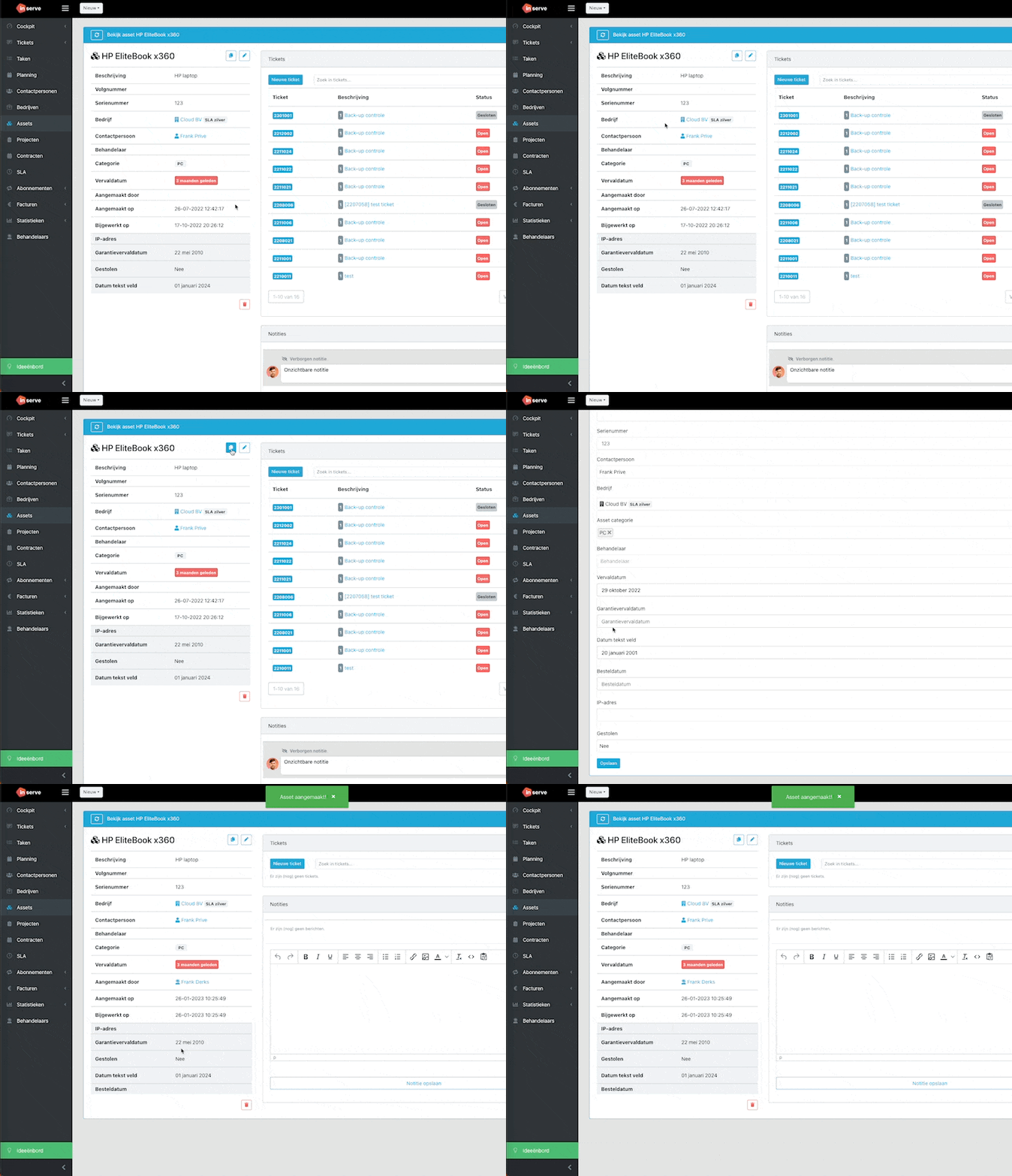
It is now possible to duplicate an asset:
CleanShot 2023-01-26 at 10

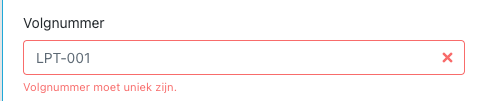
Unique serial number field for assets

A new field is available for assets. This field is unique and can be used to record serial numbers of assets:
CleanShot 2023-01-26 at 10

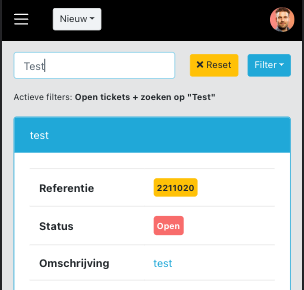
Quick filter options available on mobile

On mobile it is now possible to apply your desktop quick filters.
CleanShot 2023-01-26 at 10

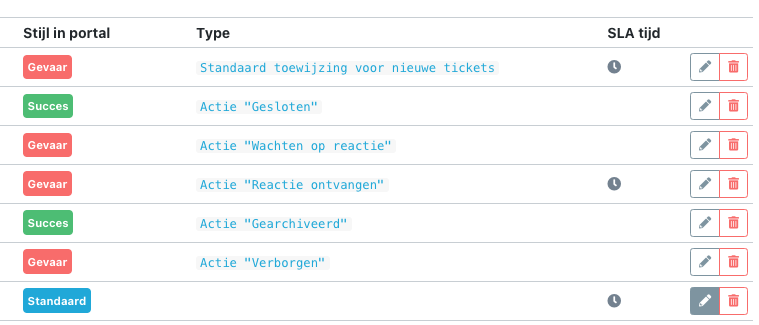
Start SLA time on custom statuses

A new option has been added to choose per ticket status whether the SLA timer should start. This can also be applied to custom statuses:
CleanShot 2023-01-26 at 10

And more...

  • Required fields have been adjusted so that they are always required and not only on creation

  • Attachments now open in the browser by default and are no longer downloaded

  • For time registrations it is now possible to specify a time range on the 'executed on' filter

  • Projects can be archived

  • Option added to call directly from a ticket

  • When applying a template to a new ticket, the project is now also filled in

  • Bug resolved where an External user got error messages on specific filters

  • Bug resolved where a recurring ticket template was not created on January 1st

  • Bug resolved when printing where the maximum character count was exceeded

  • Default permissions for an External user adjusted. They can now see the company linked to their tickets by default

  • Recurring ticket templates now also appear in the filter on the ticket overview

  • SLA timer now resumes when a ticket is reopened

  • Notification added explaining what happens when adjusting activity prices
1.11.1 - SLA Module Changes

SLA module changes

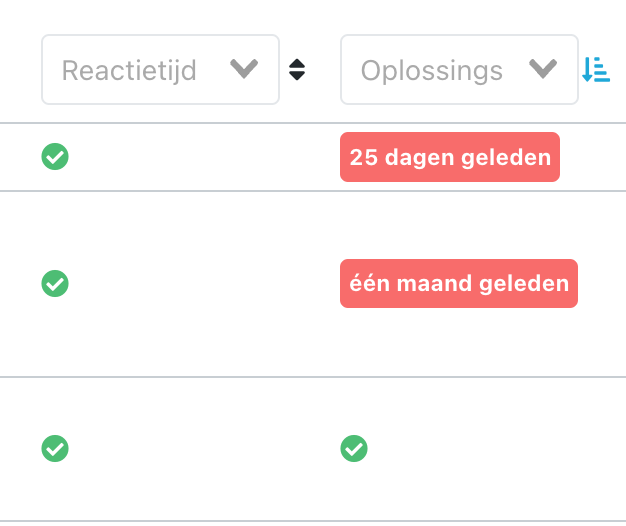
The SLA module has received a significant update. The resolution and response time counts within the configured office hours when a ticket has the status Open or Reply received. The time will pause on status Waiting for reply and Hidden.

Open

Reply received

Waiting for reply

Hidden

image

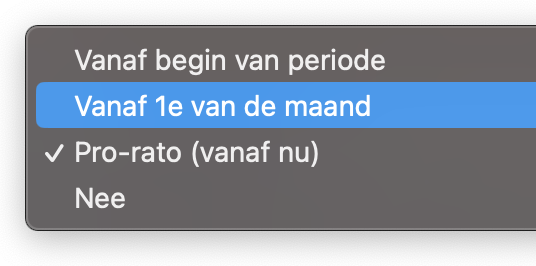
Invoice subscriptions on the 1st of the month

It is now possible to invoice subscriptions on the 1st of the month:

image

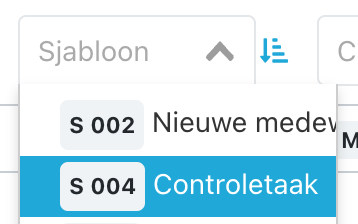
New filter field: Ticket templates

A new filter option has been added to the ticket overview: Template. This allows you to filter on all tickets that have a specific ticket template applied. Very useful when, for example, you want to find all completed tickets at the end of the year for an audit.

Template

image

And more...

  • Emails read via MS365 are now marked as read

  • New magic field Start time usable on invoice lines

Start time

  • The start time of the planner has been adjusted to 08: 00

  • Improvement when excluding email addresses from CC

  • Permissions around managing ticket templates have been expanded

  • No more error messages on the company detail page when a user does not have all permissions on linked objects

  • Changing priority now adjusts the SLA time

  • Custom date fields are no longer filled with the same date

  • Adding time directly to an invoice when there was more than 1 ticket works correctly again

  • When creating a new priority, it is now also added to existing SLAs

  • Creating a custom portal URL works correctly again

  • Invoice is now marked as exported when WeFact has not sent the invoice to the customer

  • Bug resolved where pagination could get stuck on page 2 with an active quick filter

  • Merging tickets is now also possible when a type is linked without an internal type

  • Images are displayed again when #tasks is in the URL

  • When creating and editing ticket templates, no notifications are sent to handlers

  • Issue resolved where an external handler could not create a ticket

  • Time to first response (SLA) is updated when sending and closing

1.11 - Subscriptions

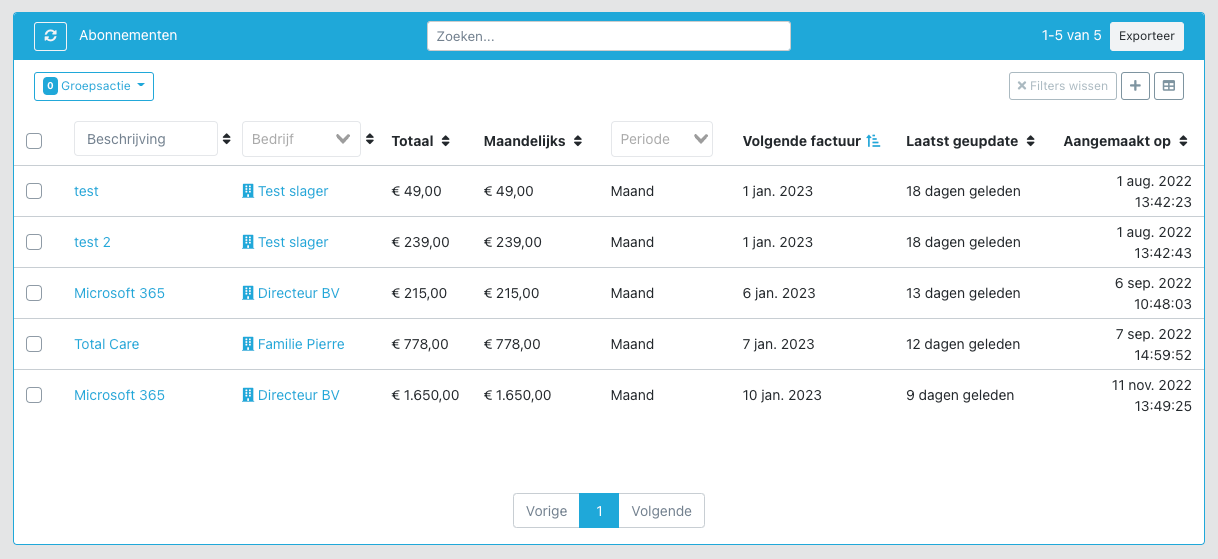
Subscriptions

CleanShot 2022-12-19 at 10

It has been live for some time with a number of customers, but the subscriptions module is now available as standard for all customers.

The advantage of this module is that for changes, the difference can automatically be billed pro rata:

CleanShot 2022-12-19 at 10

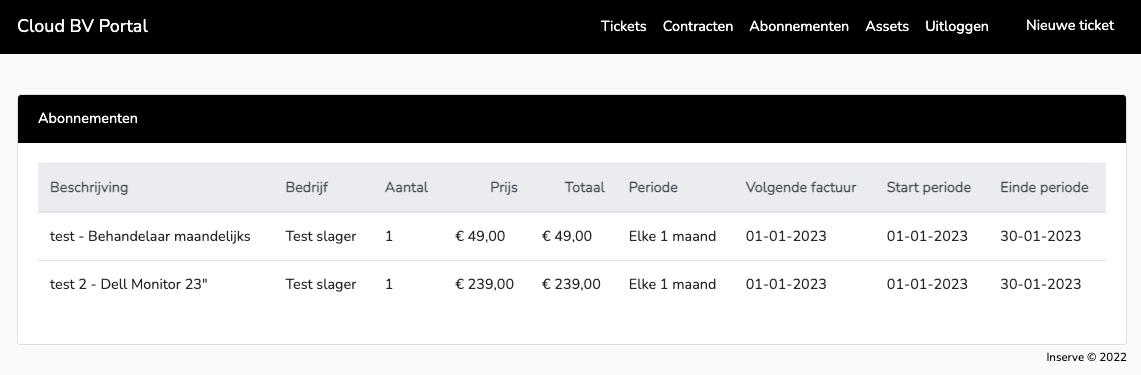
Subscriptions are also visible in the customer portal, provided the contact has the appropriate permissions.

CleanShot 2022-12-19 at 10

We know that many billing and accounting packages already have a subscription module. Still, we recommend using Inserve's. In the coming period we will continue to add more functionality, for example the ability to adjust a subscription directly from a ticket 🤩

1.10.2 - Choose Which Ticket Fields Are Directly Editable

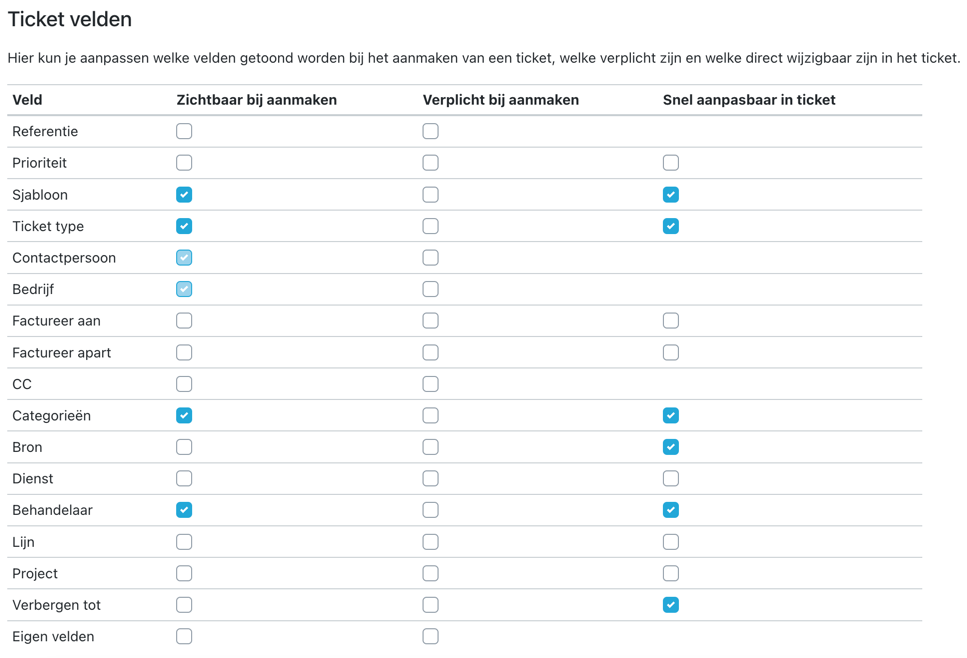
This update makes it possible to choose which fields in a ticket are directly editable. You can find this under Settings > Ticketing.

CleanShot 2022-12-14 at 21

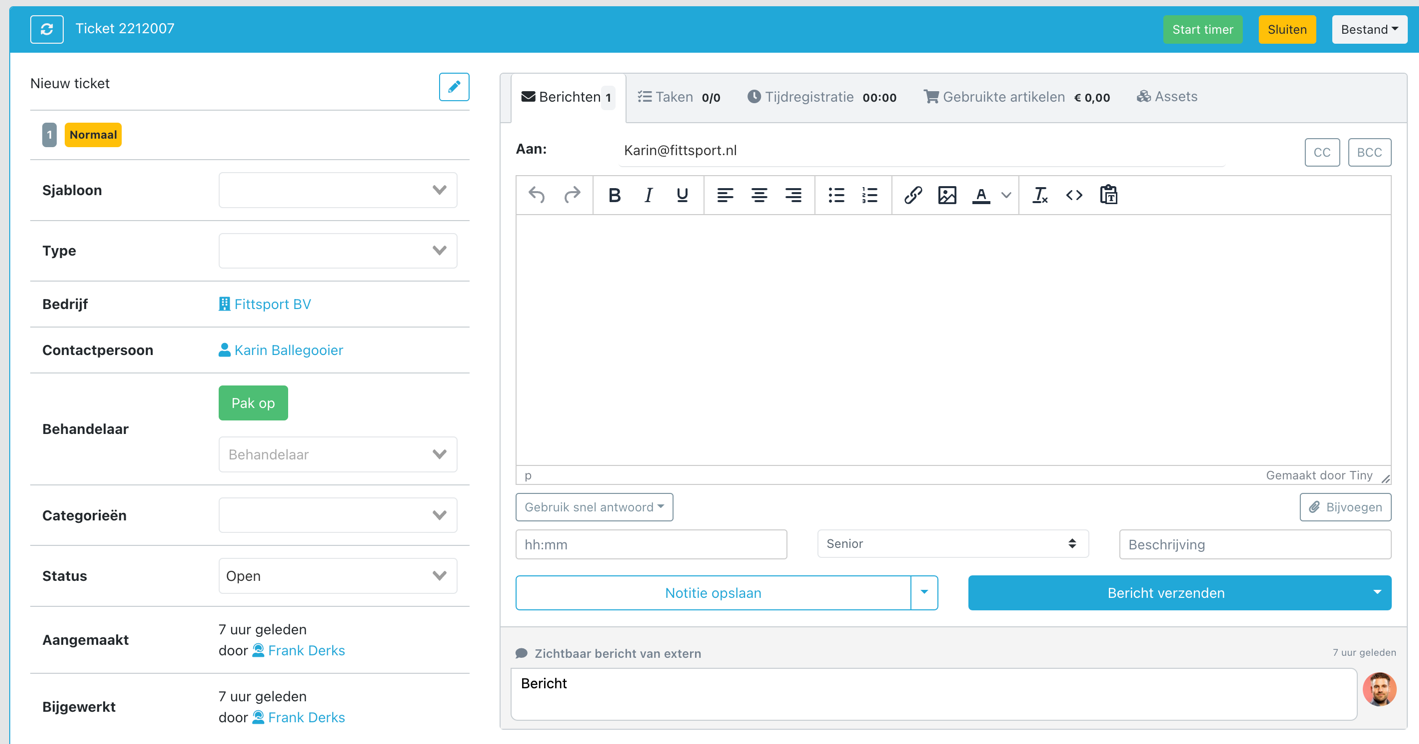
This makes the most-used page in Inserve even more organized:

CleanShot 2022-12-14 at 21

Additionally, a number of minor improvements:

  • Notes can be made visible for assets in the customer portal

  • With Teamleader sync it is possible to filter companies and contacts by tag

  • Minor fixes

1.10.1 - Extra Account Types

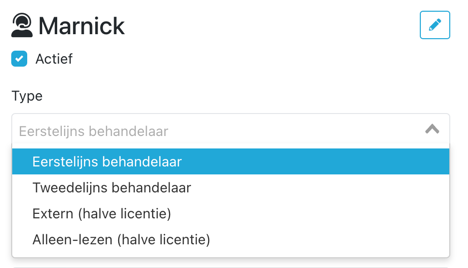
We received many questions about different account types. That is why we are now introducing, in addition to the regular handler account, two types of account that count as half a license:

half license

Read-only 👀

Read-only

This account can be used for colleagues who only need to read, such as sales, marketing or management. It cannot be linked to a ticket as a handler and cannot register hours.

External 🕺

External

This account can only see the tickets where he/she is set as handler. This is suitable for external persons from suppliers or freelancers who are not allowed to see all tickets. The advantage is that they can also add time registrations to tickets.

It is also possible to create this account without a password, making it suitable as an additional account to register hours on.

CleanShot 2022-11-30 at 20

Cost €

Cost

Both accounts cost half a license. So for the price of one license, two of these types of accounts can be created.

half

By default, roles with certain permissions have been created for these accounts. Of course these can be customized to your own preferences.

1.10.0 - Planning Module, Tagging Colleagues and Sign In with Microsoft

Planning module (Exchange Online)

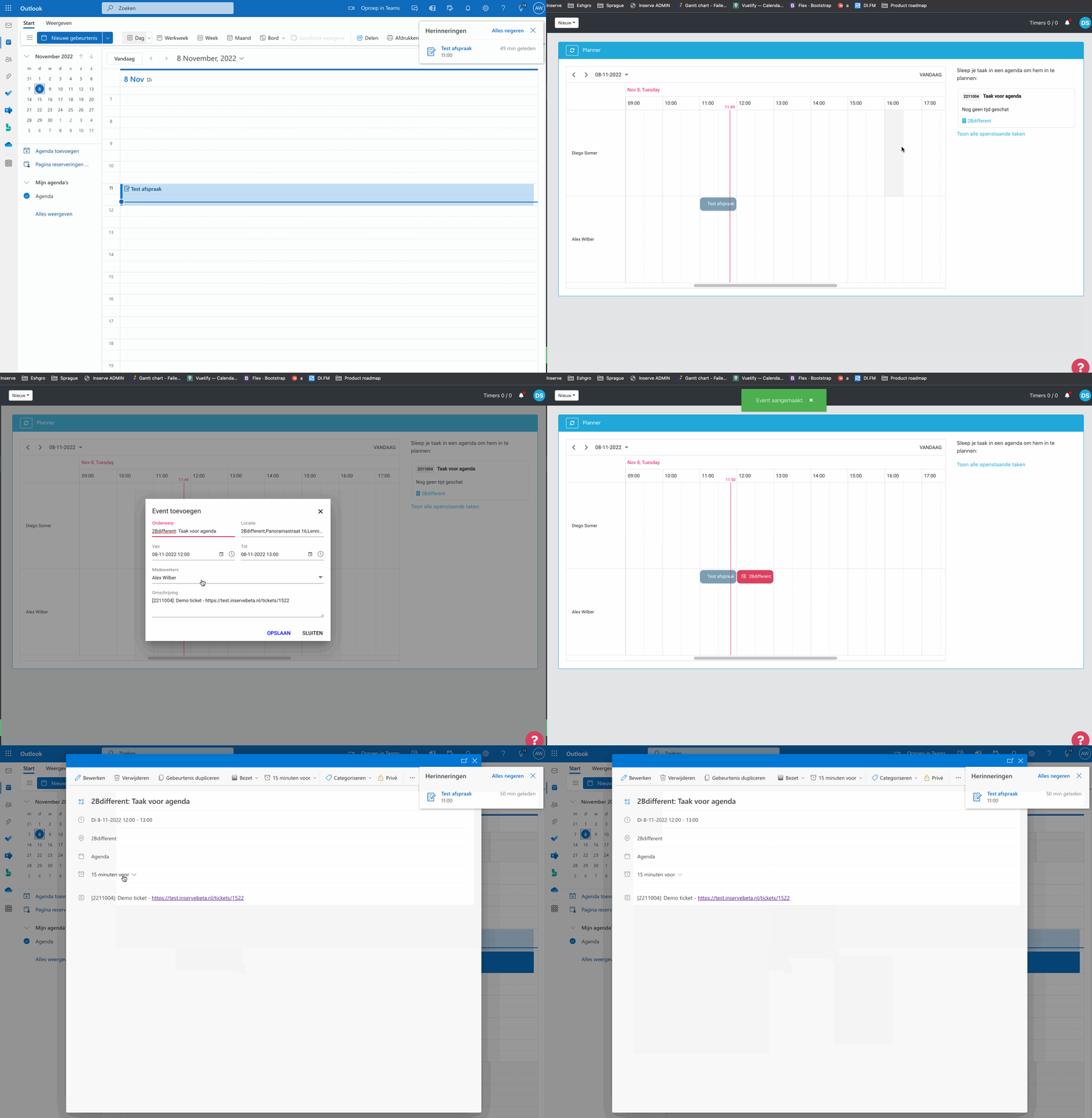
The planning module is live for all customers! It has been running in BETA with a number of customers over the past month and the feedback has been incorporated. This makes it possible to schedule tasks directly from Inserve in an employee's Office 365 calendar.

planner2

For a detailed explanation, please refer to:

Planning module explained

Tag colleagues with @

When you type the @ symbol within a message in a ticket, an option will appear to tag a colleague handler. When you save this as a note or send it as a message, a notification will be sent to your tagged colleague.

@

taggen

taggen2

SSO with Microsoft 365

It is now possible to log in to Inserve with Single Sign On using your Microsoft 365 account. By default this option is turned off; here is how to activate it and even make it mandatory: Here you can find how to enable this option within your environment.

CleanShot 2022-11-09 at 09

Clear formatting in messages

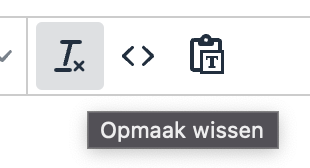
There is now an option to clear the formatting of pasted text.

image

And more...

  • When a notification comes in for a ticket that is already open, it will automatically refresh

  • Issue with quick filters where they got stuck on the wrong page. They now always go back to page 1

  • Pre-filling on an asset works correctly again

  • Invoice lines are immediately recalculated when adding time lines on the invoice page

1.9.5 - Custom Date Field & Expiry Date for Assets

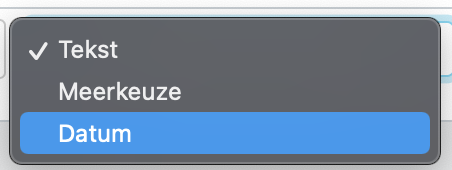
Custom field of type date

It is now also possible to add a custom field of the date type. You can now add a date field to any object within Inserve.

image

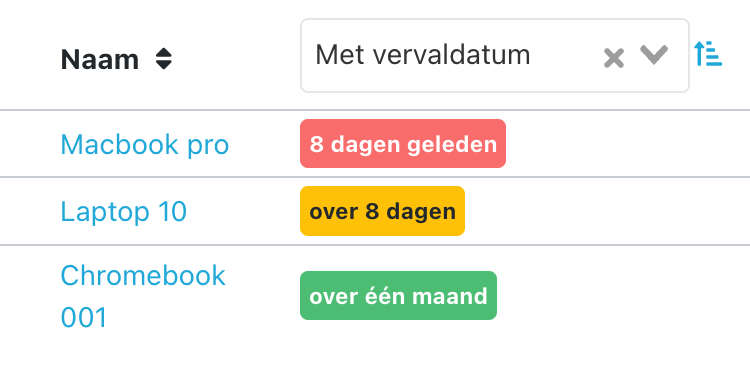
Expiry date for assets

Assets now have a new default field available: Warranty expiry date. This can also be added to the overview where you can also apply sorting. Very useful for seeing which assets are about to fall out of the warranty period.

Warranty expiry date

image

And more...

  • The icon to customize the Cockpit is visible again

  • You can no longer send a message and close the ticket when there are open tasks

  • When adding a widget it could be empty

1.9.4 - Extended Tasks & Hide Tickets Until Date and Time

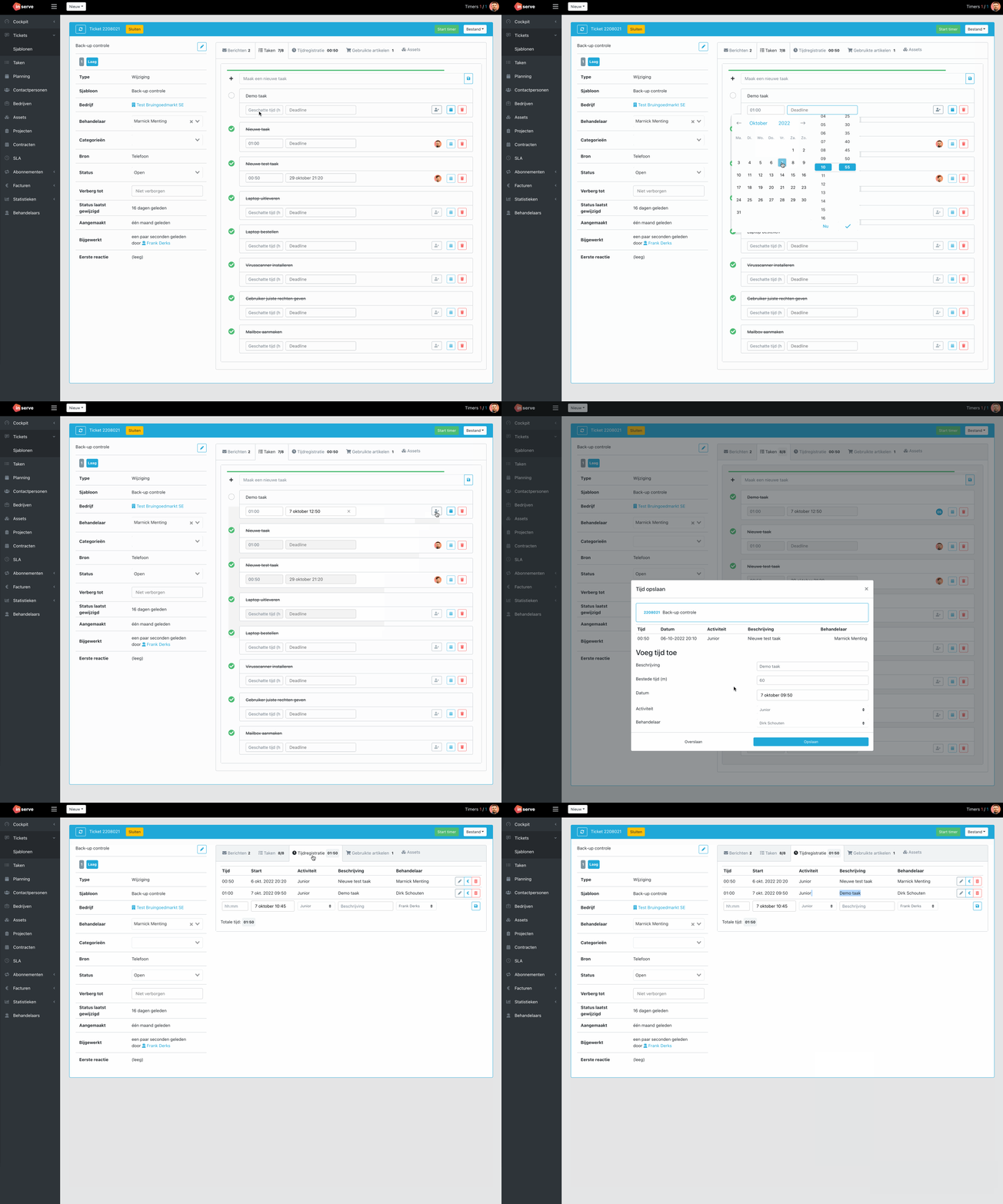
Extended tasks

An estimated time can now be added to tasks. When this estimated time is filled in, the time, description and handler will be pre-filled when completing the task for making a time registration!

taken

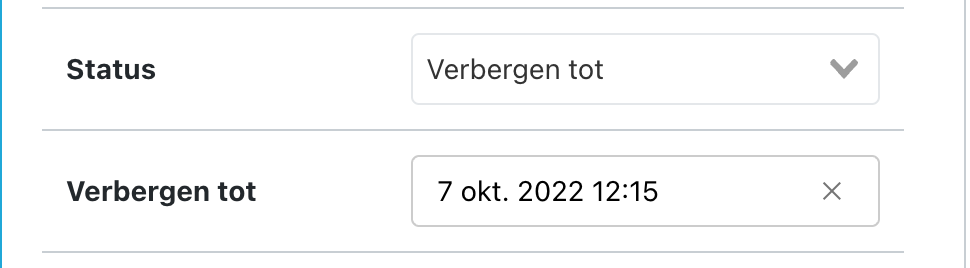
Hide tickets until date and time

It is now possible to have a ticket reopen at a specific date and time. Previously it was only possible to select a day. When the configured day and time is reached, the ticket will spring open. Useful for tickets that, for example, only need to be looked at at the end of the day.

image

And more...

  • Issue resolved when large amounts of attachments could not be sent

  • When a ticket jumps from scheduled (Hidden after this release) to open, the date is also cleared

  • When creating a contact from a ticket, the form closes again

  • In the ticket table, it is again possible to sort by company with an active filter on a handler

1.9.3 - Extended Messaging Module

Extended messaging module

In addition to the CC field on a ticket, which kept the customer's colleagues informed of all tickets, it is now also possible to add a one-time recipient to a message.

It is also now possible to see where the original email was sent to, both incoming and outgoing.

This is useful when you need to communicate with a supplier, for example. It is then clearly visible which messages the customer received and which are not visible. Thanks to the 'Reply all' button above the message, you can also easily reply to the thread.

Responses from colleagues are also automatically shown or hidden depending on whether the original email was sent to the contact or not.

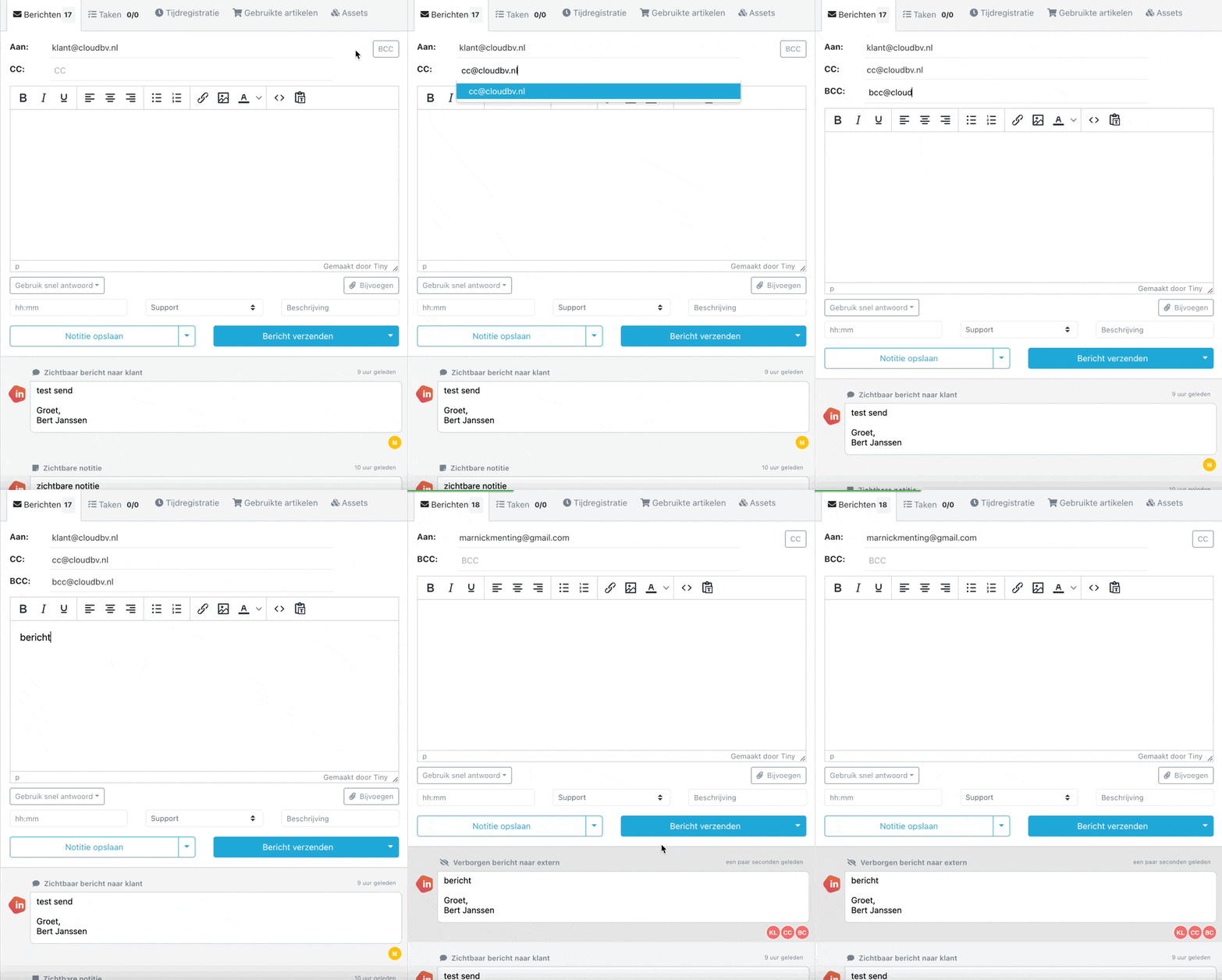
CleanShot 2022-08-15 at 21

Signature

The signature is now configured to be automatically added when sending. It is not added for an internal note. This makes using quick replies easier.

1.9.2.1 - Sending Large Attachments via Link

Sending large attachments via link

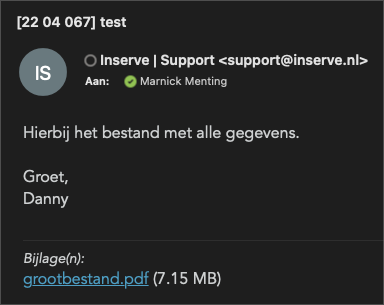
The new integration with Microsoft Graph had a 3 MB limit for attachments. We have now resolved this by adding download links to the email sent to the customer, and to any notification email to the handler.

This works the same for environments that still send via SMTP.

This makes it possible to securely share larger files with the customer, without worrying about them being blocked by the recipient's mail server.

CleanShot 2022-07-14 at 11

⬅ Vorige 6 van 10 pagina's (100 product updates) Volgende ➡