Book a demo

1.9.2 - Ticket Templates

Ticket templates

It is now possible to apply a ticket template to a new or existing ticket.
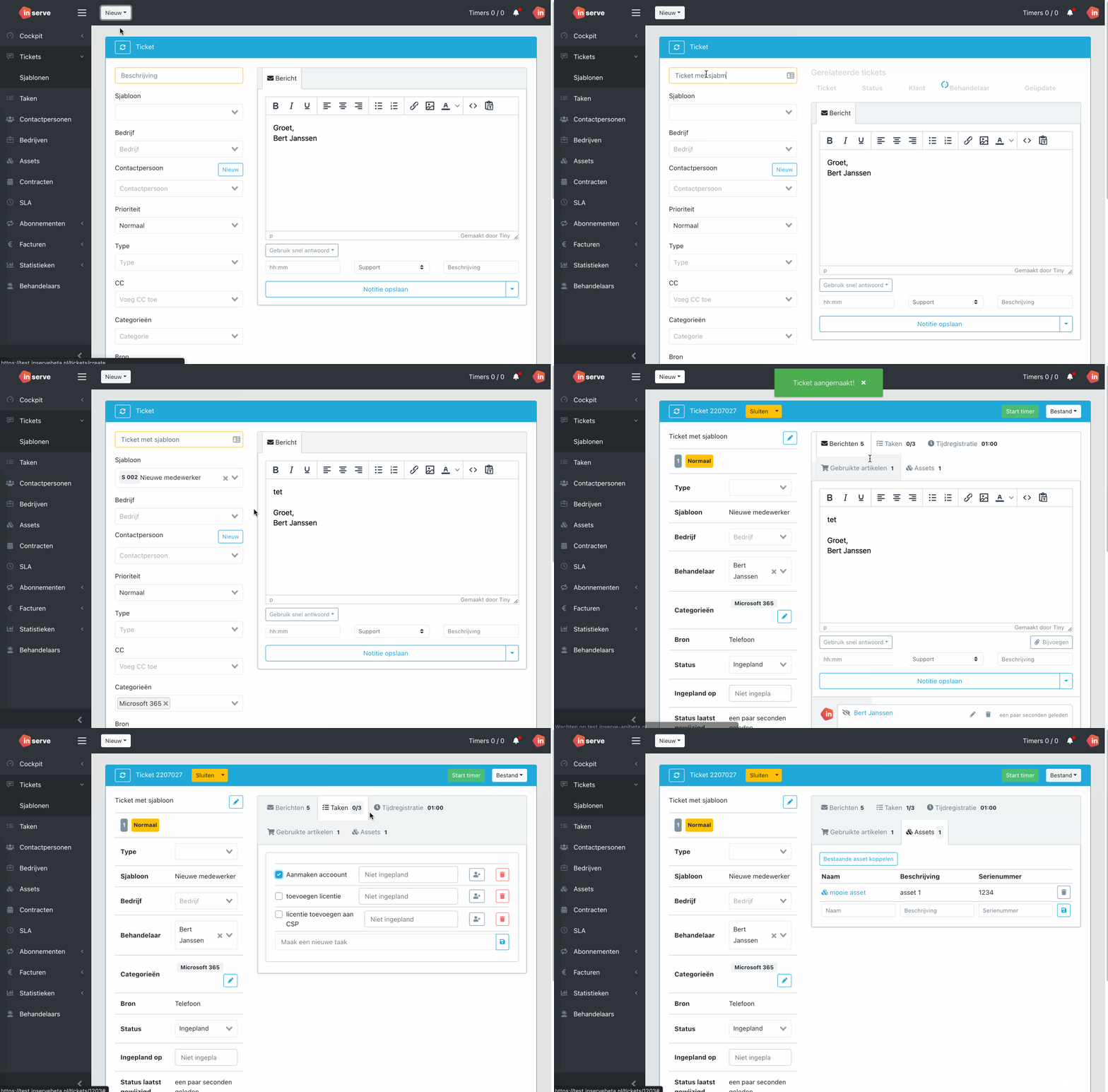
sjabloon-nieuw

For an existing ticket, you can choose which items you want to add to the existing ticket.
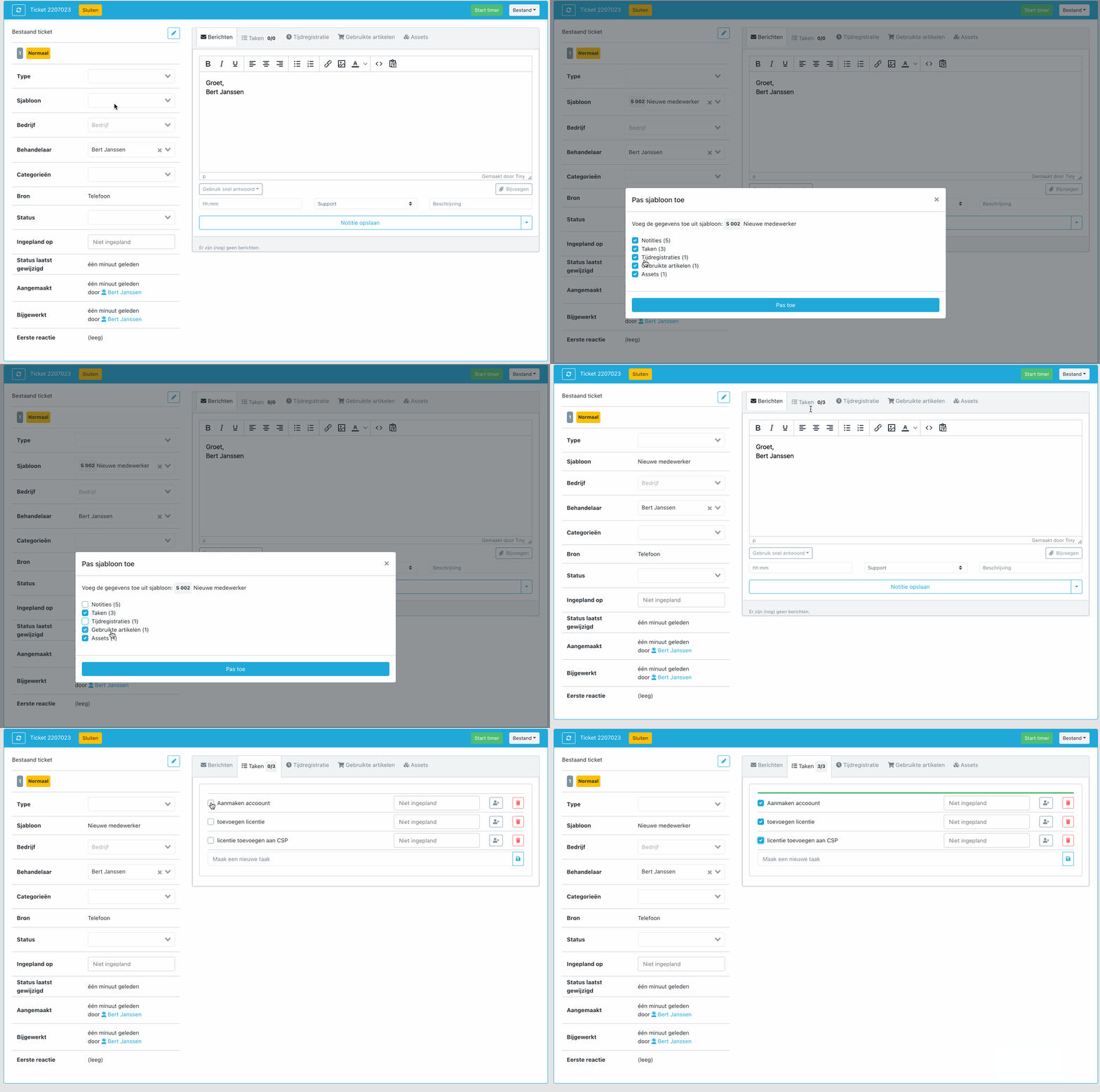
sjabloon

Status updates visible on a ticket

Status changes are now tracked on the ticket. Here you can quickly see who changed the status of a ticket at what time.
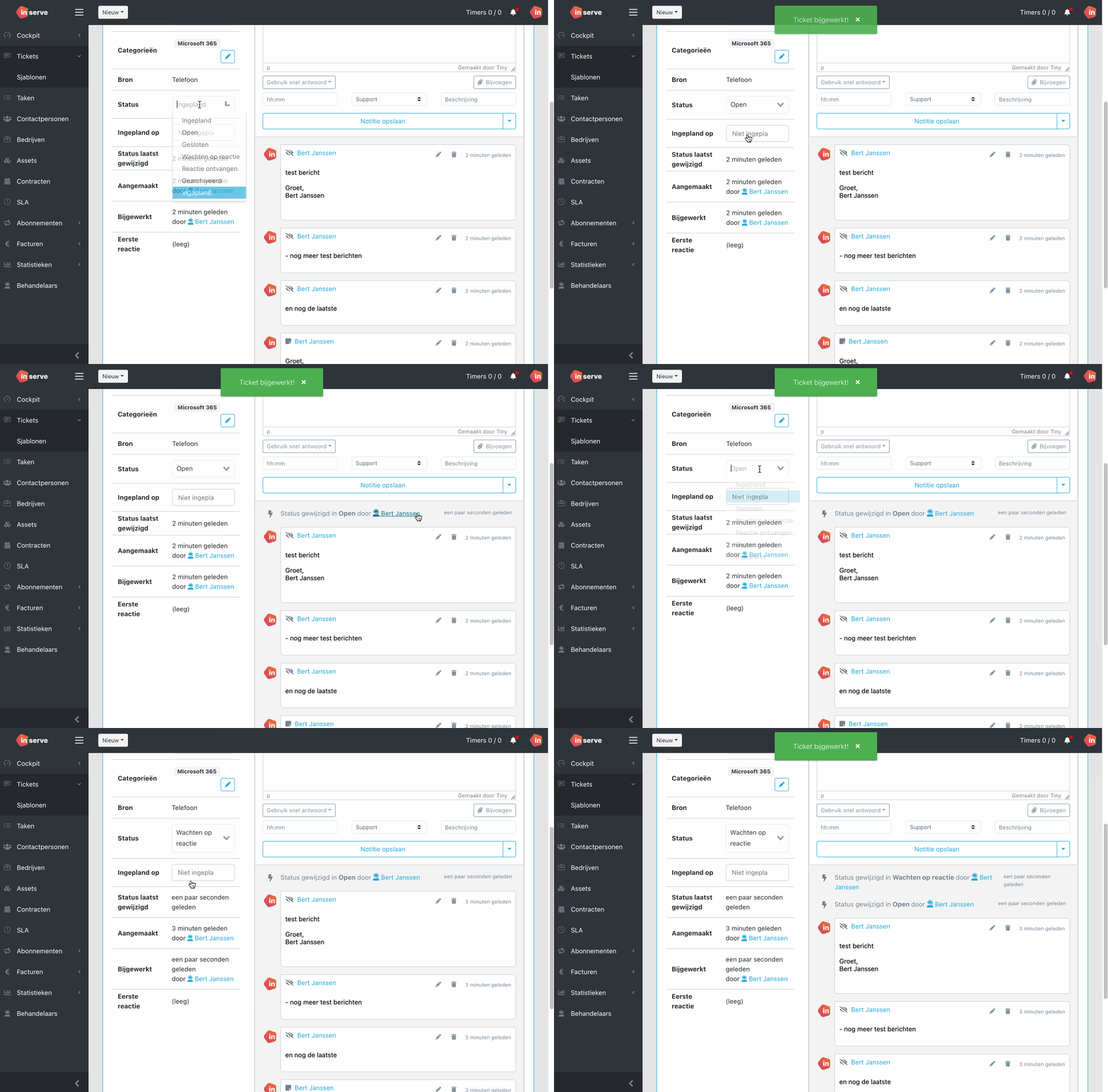
statusupdates

Close tickets without notification.

There is now the option to close a ticket when sending a message without sending a notification to the customer.
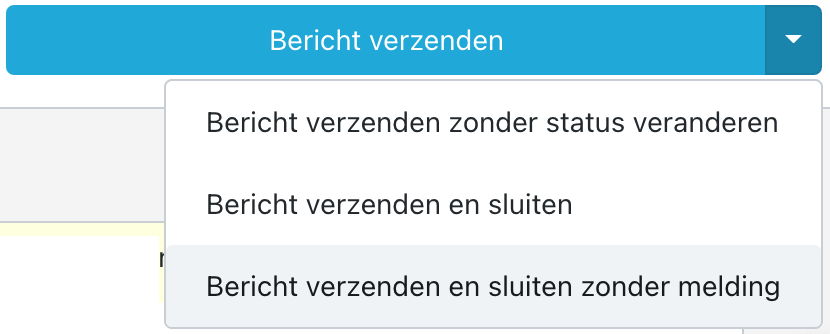
image

Closing without notification is also possible without sending a message:
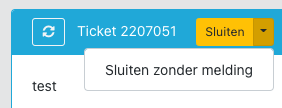
CleanShot 2022-08-11 at 09

Reset filters button in table views

It is now immediately clear when a filter is active on a table. When more than 1 filter is active on any column, the button will be available and you can clear all filters with one click.
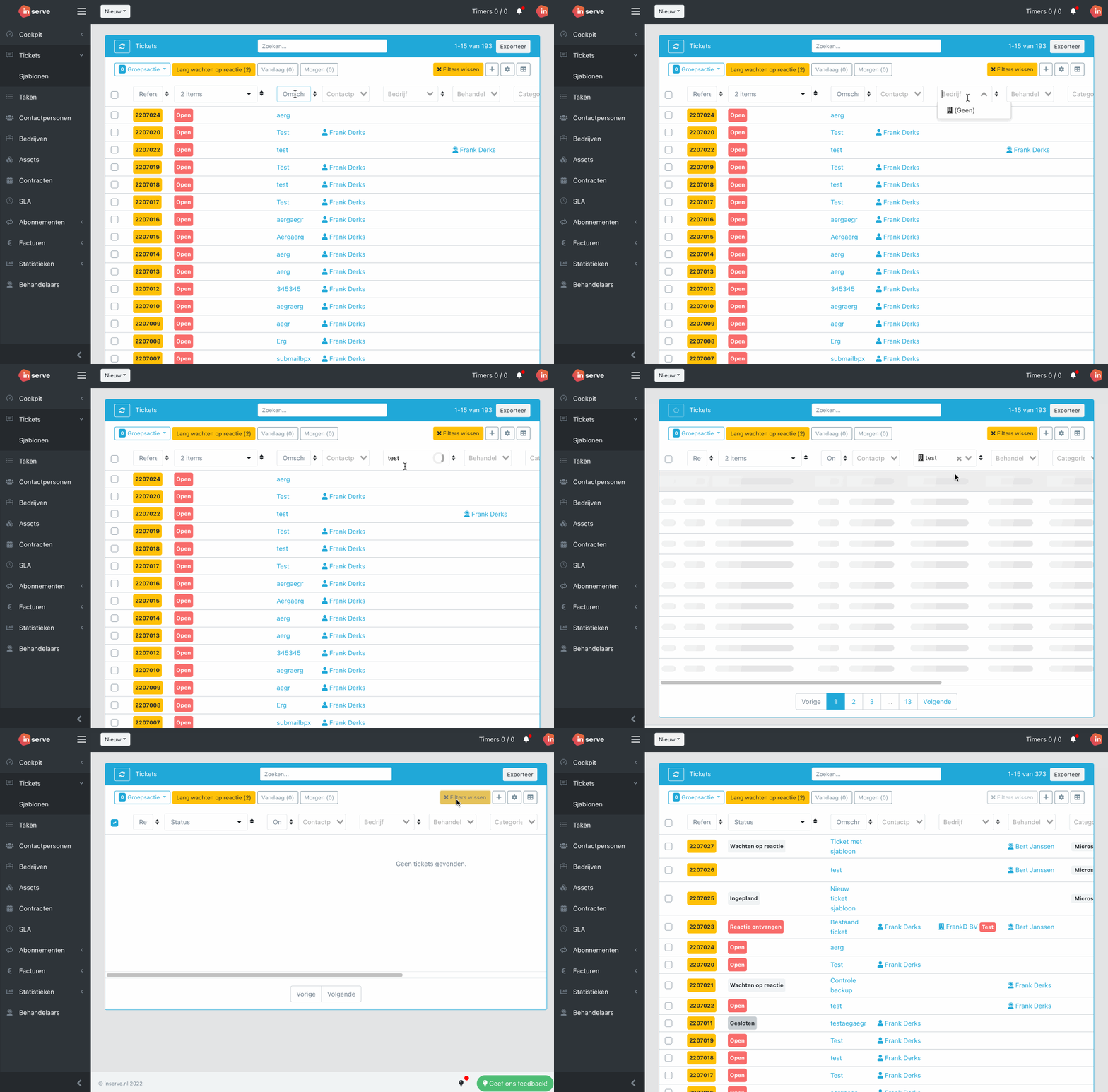
filterwissen

And more...

  • Ability to export invoice lines to CSV

  • When creating a ticket, the subject is also searched for related tickets

  • Ability to merge and archive companies

  • Option to send an invoice directly in WeFact

  • Amounts can be entered with a period or comma

  • When a closing email is sent to the customer, it is visible in the ticket

  • When choosing a product, the first 25 are shown immediately

  • When choosing a company, the address is shown immediately

  • In quick replies, it is possible to use the handler of the ticket as a magic field

  • Assets are visible on a contact

  • You can select a date range in the ticket overview on 'closed on'

  • Fix where the column filter of a company was not visible but still active

  • Fix where refreshing the page resulted in a 403

  • Fix where the subfolder was not shown in the Microsoft Graph option

  • Fix for when a ticket could be saved without a status

  • Fix where a time registration in Safari received an incorrect date

  • Fix where email addresses were added as CC duplicates
1.9.1 - Time Registration Insight

Time registration insight

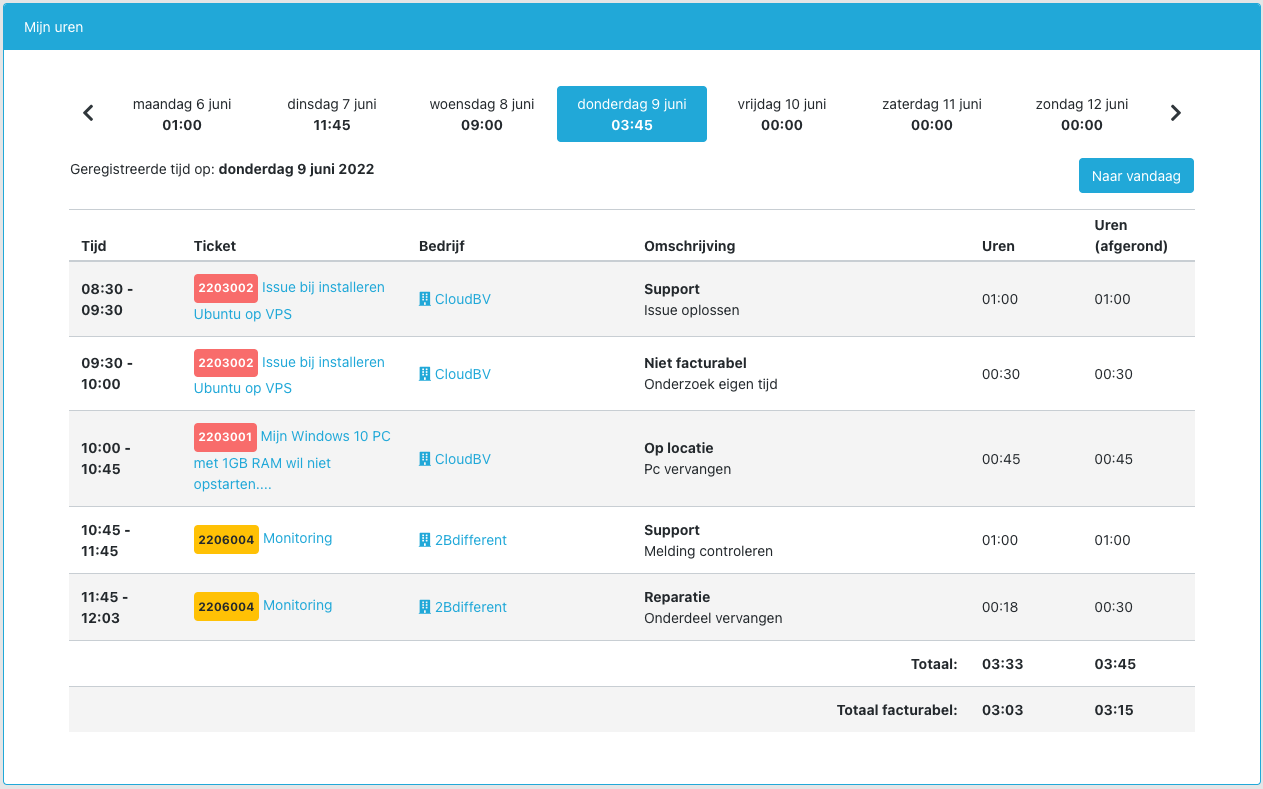
This release introduces the ability to gain insight into all time registrations. This is useful for employees to see where time may have been missed during the day. You can find it under: Cockpit > My hours

Cockpit > My hours

image

For the administrator within Inserve, there is also the option to view the hours of all employees. This can be found under: Statistics > Registered time

Statistics > Registered time

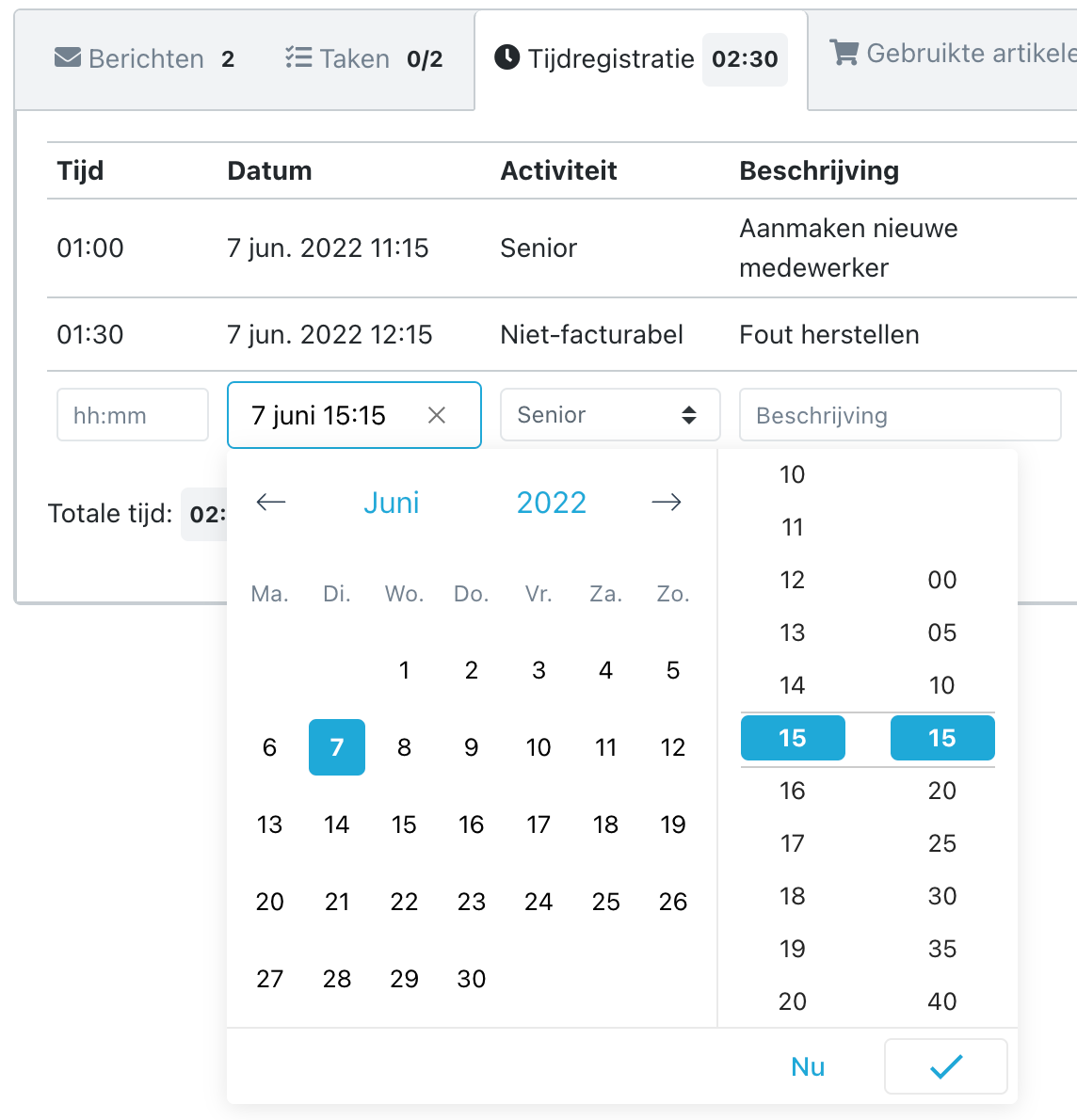
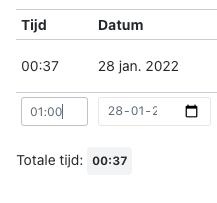
To make everything clearly visible, it is now also possible to choose a time for your time registration:

image

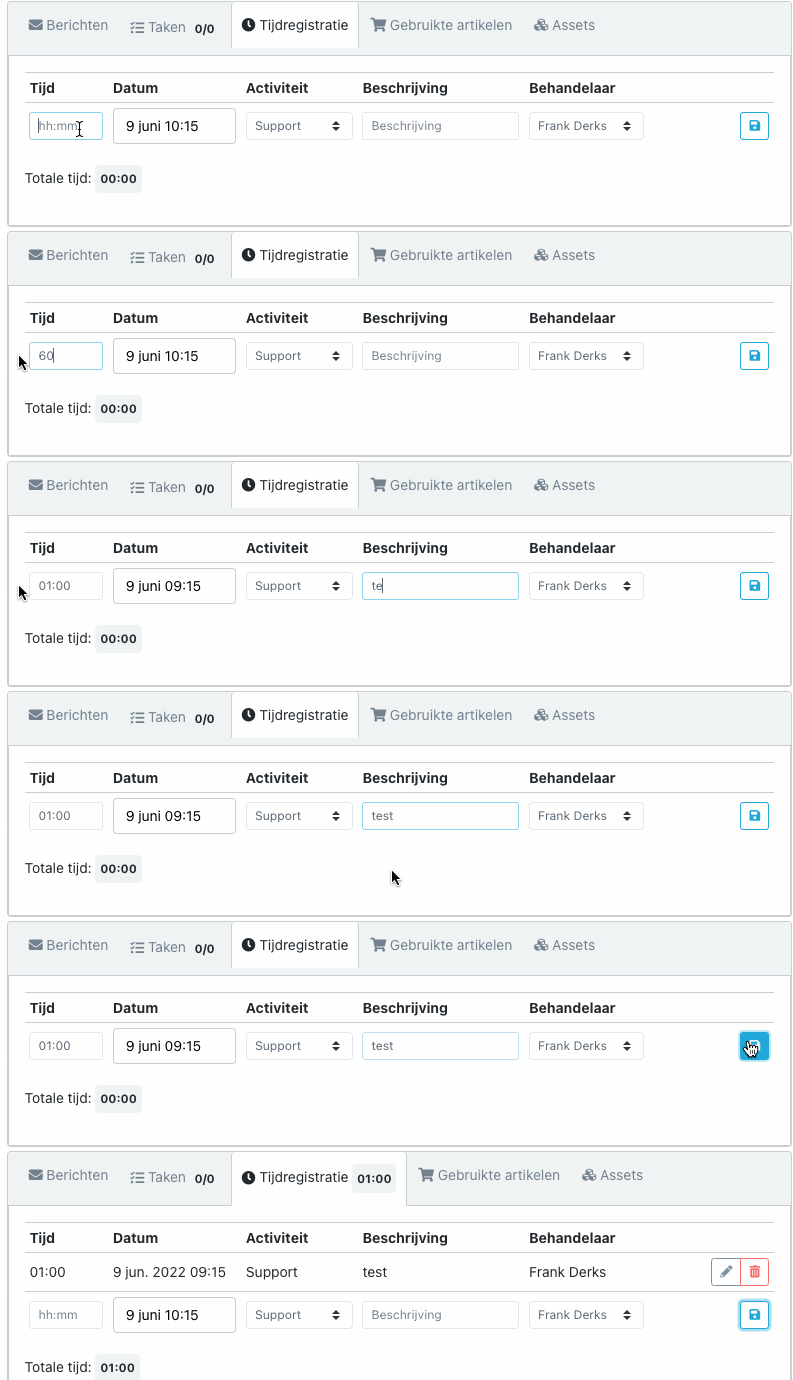
When the time spent is entered via a timer or manually, the start time will be calculated automatically. All of this to keep time tracking simple.

timeregistration1

And more...

  • Fix for notifications containing special characters

  • Fix so it is again possible to add products from the invoice page

  • Order of notification emails has been adjusted

  • The ability to adjust time registrations after they have already been invoiced

  • The Inserve logo has been updated

1.9 - Notifications

Notifications

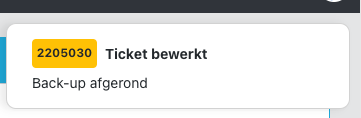
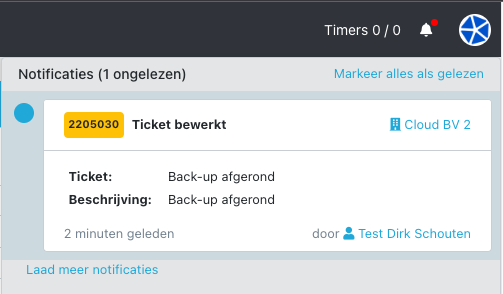
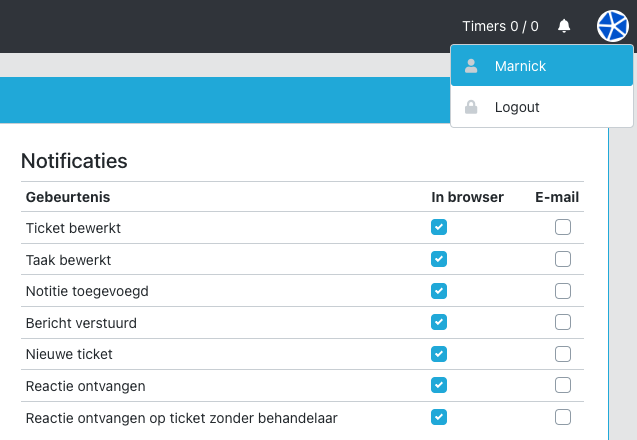
This release introduces a new notification system. It is now possible to receive notifications in Inserve at the user level. It is also possible to receive these notifications in the OS (via the browser) and/or by email.

CleanShot 2022-05-19 at 16

CleanShot 2022-05-19 at 16

You can find the settings via the top-right menu by clicking your name to go to the profile page:

CleanShot 2022-05-16 at 12

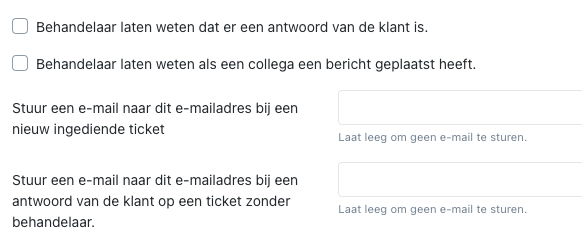
The following settings are being removed, so if you want to keep these active you must now configure them at handler level:


CleanShot 2022-05-16 at 11

For a detailed explanation, go to https://help.inserve.nl/help/hoe-werken-notificaties/

Microsoft Graph API

Preparations have been made to read and send emails via the Microsoft Graph API, as a replacement for the outdated IMAP protocol. We will roll this out gradually; you will receive a message from us as soon as it is available.

And more...

  • Fix for use of gravatar.com

  • Total line added to Work Order

  • Correct timestamp when importing emails

  • Ability to adjust time after invoicing

  • Invoices and tickets can be sorted by company name

  • Categories column available in assets table

1.8.6 - Contact with Multiple Companies

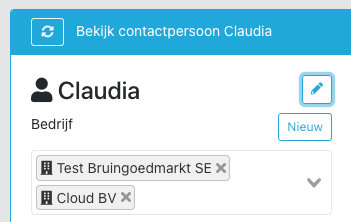
It is now possible to link a contact to multiple companies. This is useful when a person works for multiple companies. It works as follows:

CleanShot 2022-03-08 at 11

Incoming email

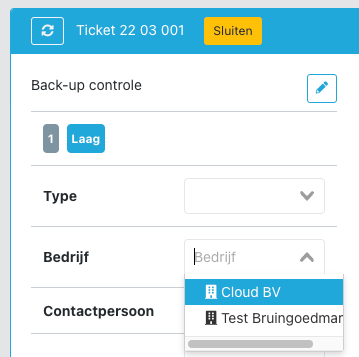
When an email comes in from a contact linked to multiple companies, the ticket will not automatically be linked to a company. In the ticket you have the option to link it to one of the contact's companies:

CleanShot 2022-03-08 at 11

Portal

When submitting a ticket via the portal, the customer has the option to directly indicate which company the work is for. By default the company field is empty.

CleanShot 2022-03-08 at 11

If the contact has the permission to see 'All tickets within company', the tickets of other linked companies will also be visible.

API

The API has been updated for this. Update your calls to retrieve 'companies' instead of 'company' using the 'with' parameter on the /clients endpoint.

HostFact customer panel integration

Update the plugin to 1.0.1: https://github.com/innovaat/hostfact-inserve/releases/tag/1.0.1

3CX integration

The 3CX template has also been changed due to the API update. Download the new version here: https://help.inserve.nl/help/hoe-stel-ik-de-3cx-integratie-in/.

1.8.5 - Automatically Close Ticket

Automatically create a ticket from an accepted quote

When a quote in WeFact, HostFact or Gripp is approved, you can now have a ticket created with the quote lines as items. This connects the sales process to the service desk.

CleanShot 2022-02-02 at 20

Automatically close ticket after x days

If the ball has been in the customer's court for a certain number of days (status = Waiting for reply), you can now choose to automatically close the ticket. Combined with the 'Email when closing ticket' option, the customer is also notified but can still reopen it. A nice side effect is that the ticket moves into invoicing more quickly.

CleanShot 2022-02-02 at 20

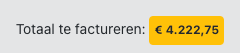
Total amount to be invoiced

An extra nudge on the Invoices page to send out those invoices ;)

CleanShot 2022-02-02 at 20

Used items also visible in portal

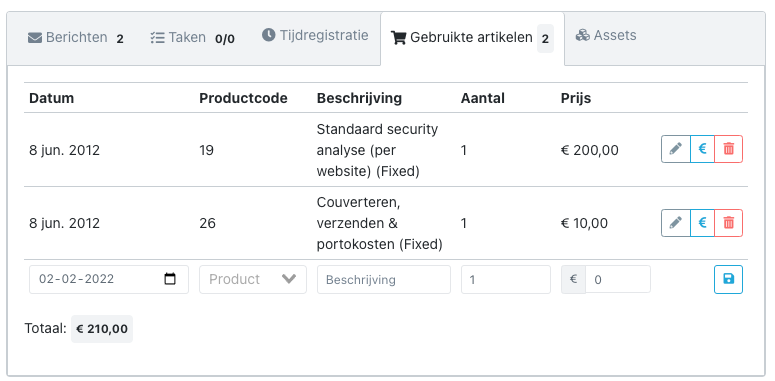
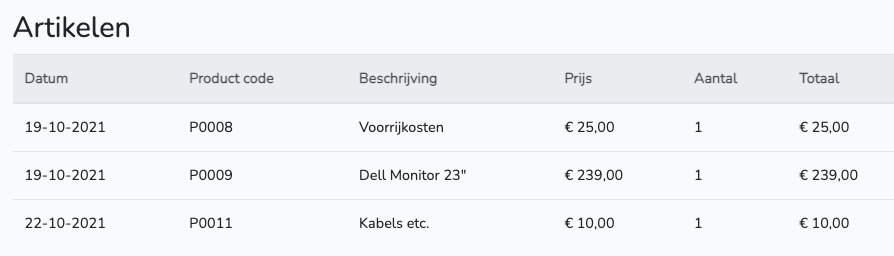
With the permission 'portal.tickets.show_used_products' you can now show contact persons the used items of a ticket in the portal.

CleanShot 2022-02-02 at 20

Minimum number of minutes per ticket

With the checkbox 'Apply minimum only to first time line of ticket' you can prevent over-rounding when a ticket has multiple time lines.

CleanShot 2022-02-02 at 20

Keep invoices separate per month

With the option 'Create a new draft invoice per month', new invoices are automatically created at the start of a new month. This keeps time lines and products separated per month.

CleanShot 2022-02-02 at 20

Minor fixes

  • Company is now required when closing a ticket if time or products have been registered

  • When a contract is deleted, time lines are automatically moved to another contract if available

  • Ticket priority is visible in the portal

  • Date field for used items is now customizable

  • CC can now be chosen from existing contacts

1.8.4 - Ticket Creation Screen

Ticket creation screen

A major update to the ticket creation screen. You can now:

  • Configure which fields are hidden when creating a ticket

  • Configure which fields are required when creating a ticket

  • Use a quick reply

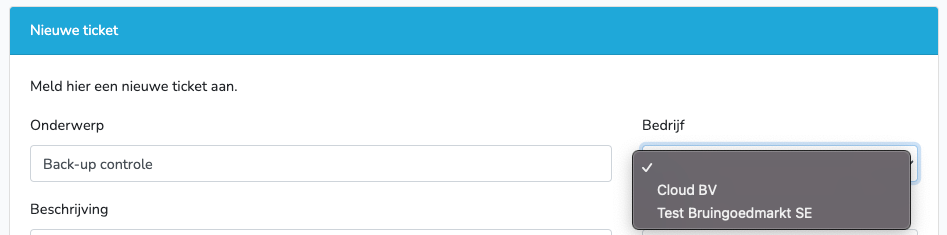
  • See existing tickets from the company and contact to avoid creating duplicate tickets

  • Choose a contact from the selected company (this also works on an existing ticket)

The settings can be found under Settings > Ticketing > Ticket fields creation screen.

CleanShot 2022-01-28 at 23

Easier time entry

It is now possible to enter hours and minutes for time registration.

CleanShot 2022-01-28 at 23

Timer updated

It is now easier to resume the timer and to save time when the ticket is in front of you. A setting has also been added to automatically start the timer when creating a ticket.

CleanShot 2022-01-28 at 23

Minor improvements

Additionally, countless minor improvements, such as:

  • Products dropdown has been made wider

  • Timer is scrollable when there are many timers

  • Email layout has been made wider

  • Products invoice line is customizable in settings

  • Invoices generate automatically when adjusting settings

  • [client_email] field added to quick replies and close email

  • Footer text in email referring to the portal is also customizable

  • WeFact endpoint changed

1.8.3 - SnelStart Integration

SnelStart integration

image

It is now possible to connect SnelStart Online to Inserve. This retrieves companies and products, so you can then register hours and hardware and send them back to SnelStart as draft invoices.

Automatically open scheduled tickets

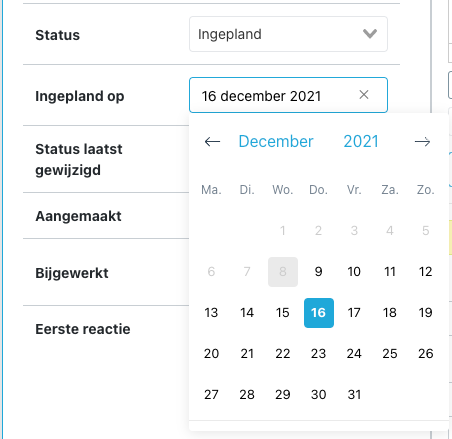
When a ticket reaches its scheduled date, the status is now automatically set to Open.

CleanShot 2021-12-08 at 23

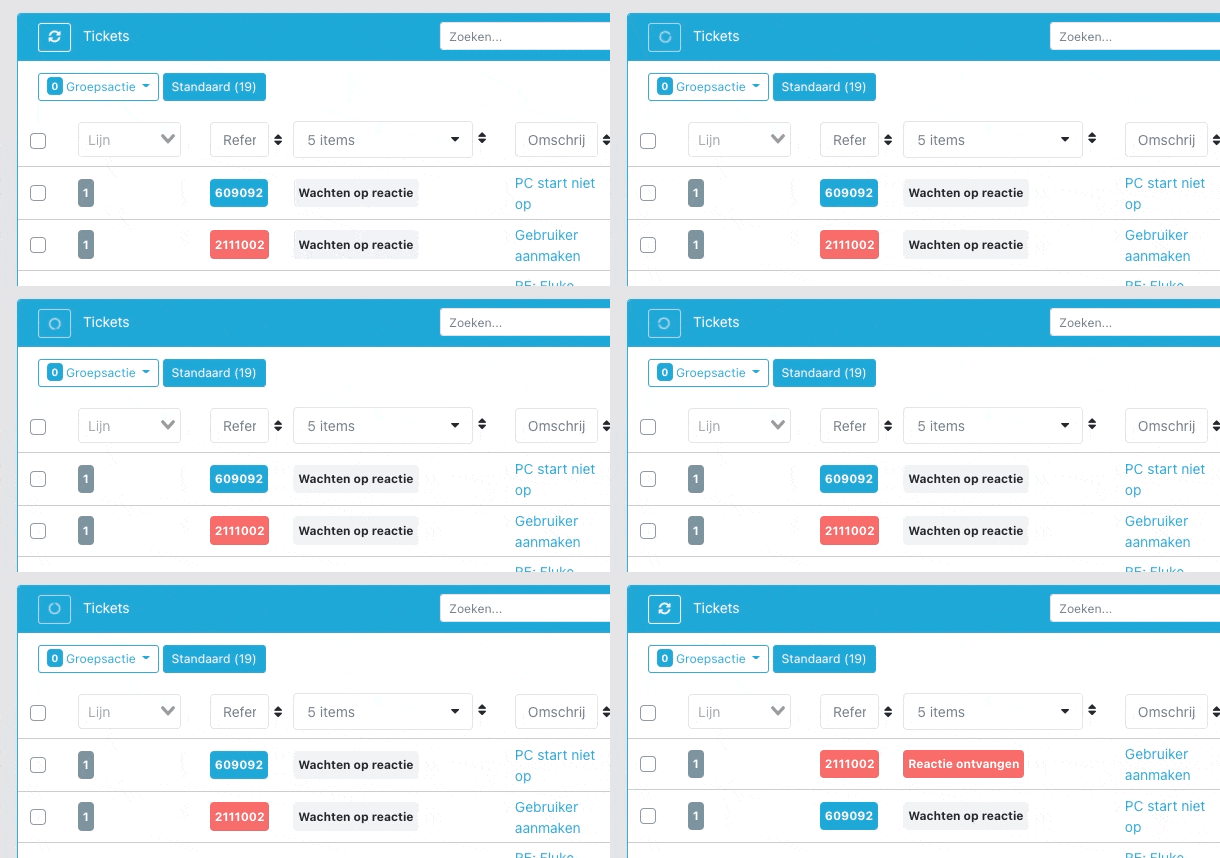
Automatic table data refresh

Every 10 seconds, table data and Cockpit widgets are now refreshed, so you always see the latest status.

CleanShot 2021-12-08 at 23

Send notification when closing a ticket

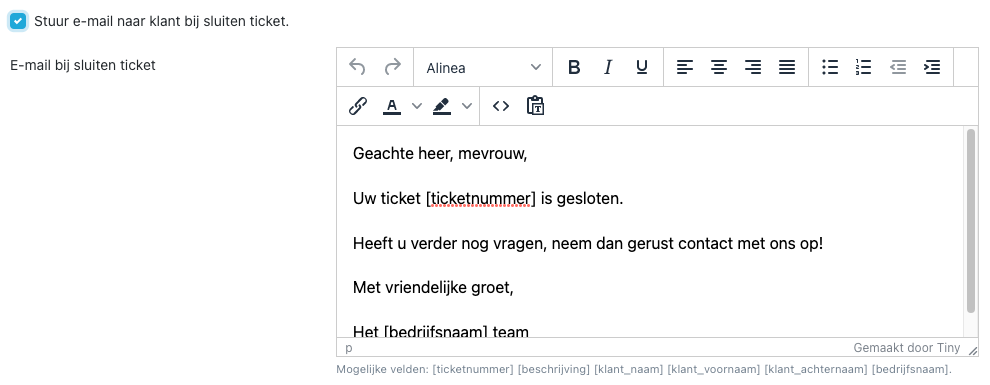
It is now possible to automatically send an email when a ticket is closed.

CleanShot 2021-12-08 at 21

Brand identity adjustments

The top bar now takes on the primary color of your brand identity. This is useful when working in multiple environments and gives it a distinctive look. A light version of your logo can be uploaded under Settings > Brand identity.

CleanShot 2021-12-08 at 21

Action buttons

You can now close or archive a ticket with one button. Saves you another click :)

CleanShot 2021-12-08 at 21

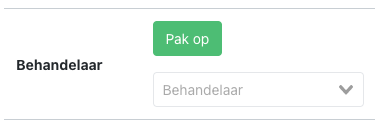
Or assign the ticket to yourself with one click:

CleanShot 2021-12-08 at 21

Minor issues and improvements

Additionally, a number of updates such as:
  • Countries can be chosen from a drop-down

  • English language option available for customers

  • Deleted tickets can be restored

1.8.2 - Invoices to Another Company

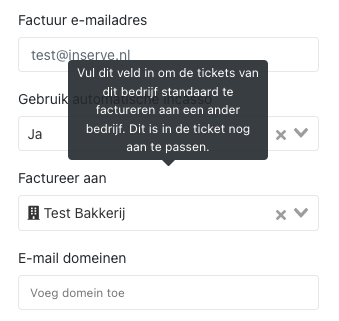
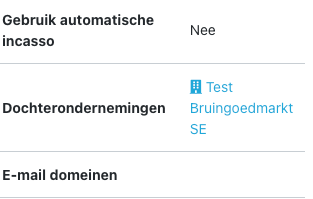
It is now possible to have the work done for a company billed to a different company by default. This can be useful in cases of holding companies, departments, or third parties.

CleanShot 2021-11-23 at 13

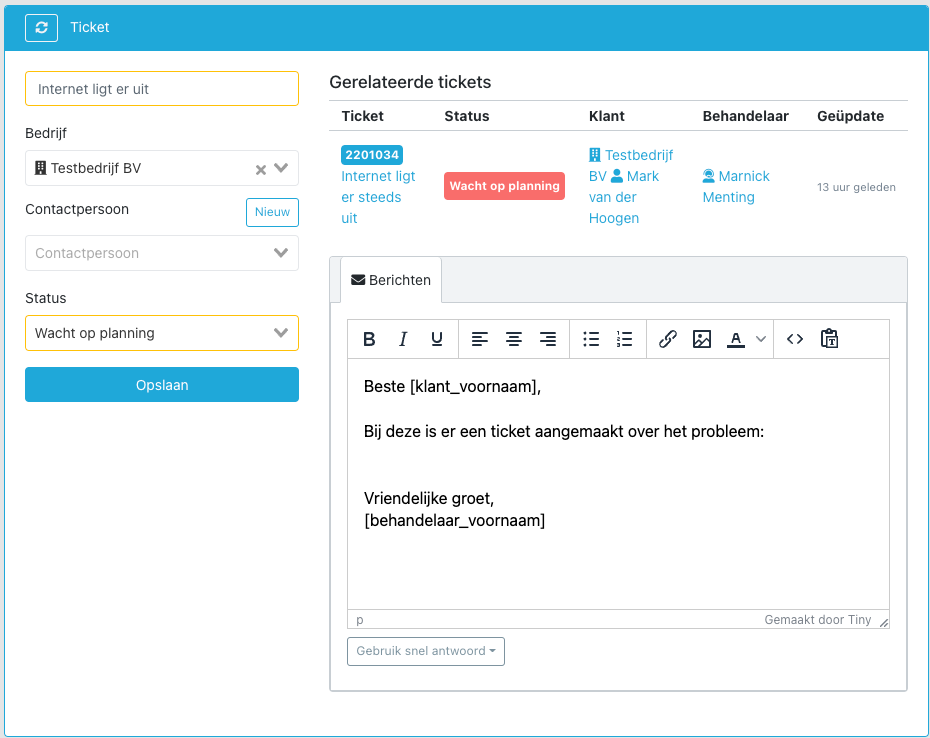
This is also visible at the 'parent' company:

CleanShot 2021-11-23 at 13

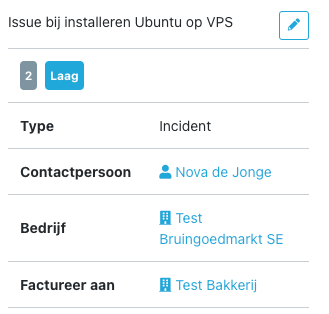
A ticket that comes in from that company will automatically be billed to the configured company:

CleanShot 2021-11-23 at 13

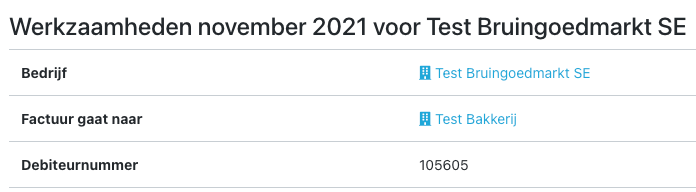
This can be adjusted per ticket. This also allows you to choose to bill a specific ticket to a different company on a one-off basis. Time lines will be tracked on a separate invoice, so the customer clearly understands these are costs for a different company or department.

CleanShot 2021-11-23 at 13

Additionally, tickets from the subsidiary are visible in the portal for the parent company, provided the contact person has the 'All tickets within company' role.

1.8.1 - Recurring Tickets

Recurring tickets

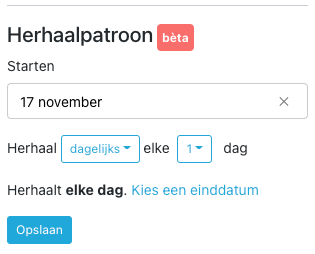
It is now possible to set a ticket template to recur, for example for recurring (backup) checks.

This feature is currently in beta — improvements or found bugs are welcome.

CleanShot 2021-11-16 at 11

Technical update

Additionally, we have done a major technical update that makes our front-end significantly more reliable. For the enthusiasts: we now use a Vuex store for all local browser data storage.

Improved settings layout

More and more settings have been added over time. We have now reorganized them by section, making settings easier to find.

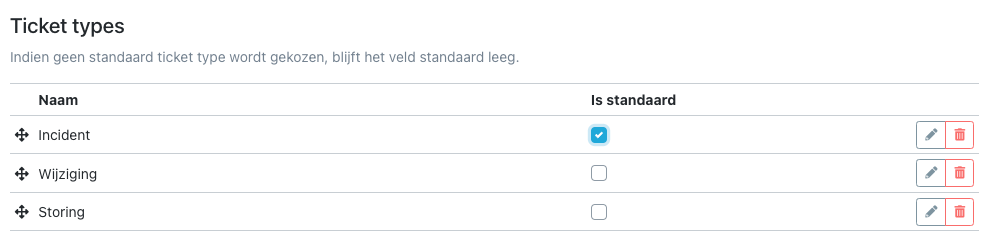
Default ticket type

You can now set a default ticket type. This can be useful if you want tickets to fall within a contract by default, unless the ticket type is manually changed.

CleanShot 2021-11-16 at 12

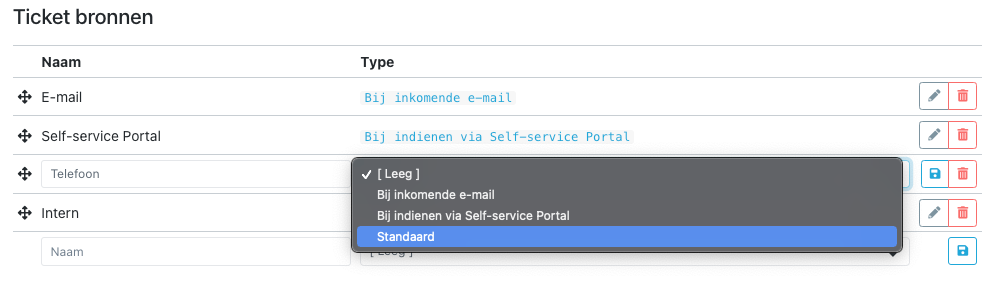
Default ticket source

You can indicate that a ticket always has a certain source when created by a handler. In most cases this will be 'Phone'.

CleanShot 2021-11-16 at 12

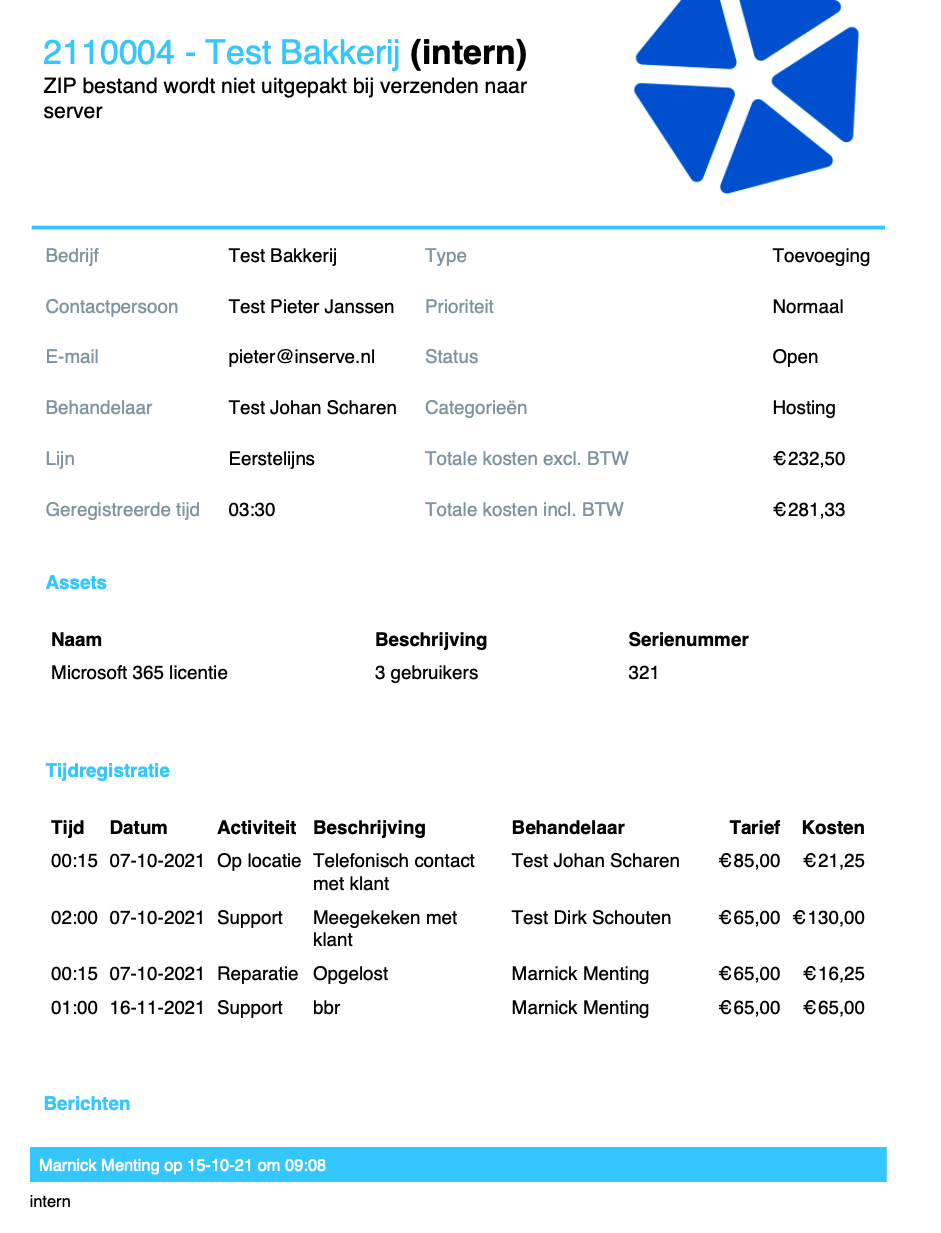
Internal print

It is now possible to make an internal print of a ticket, which also includes the private notes.

CleanShot 2021-11-16 at 12

Plus the rest...

Additionally, countless minor improvements and bug fixes that make your life as an IT service provider easier.

1.8 - SLA, Templates and Tasks
After working hard on this all summer, we can finally delight you with a number of essential features for your IT service delivery.
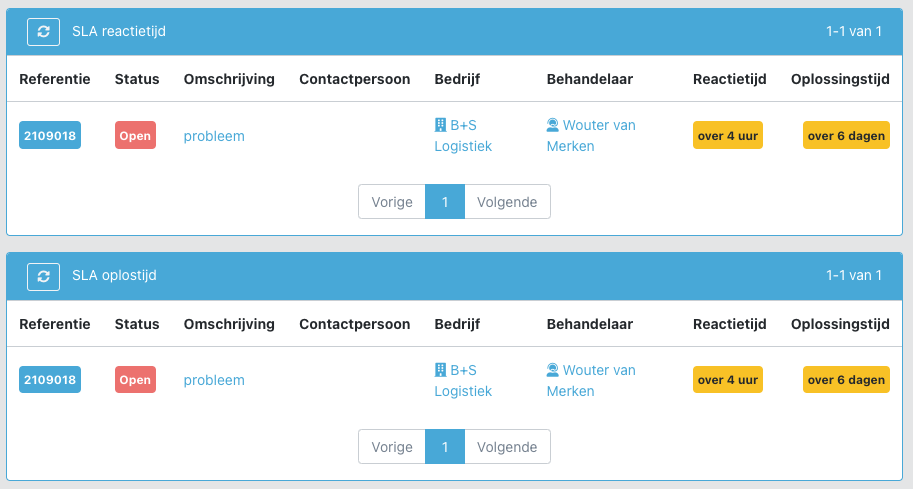
SLA monitoring

The most requested feature for service providers: SLA monitoring. For each ticket, the response time and resolution time are now tracked. Active monitoring can also be enabled.

image

See https://help.inserve.nl/help/hoe-stel-ik-een-sla-in/.

Ticket tasks
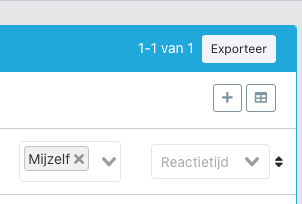
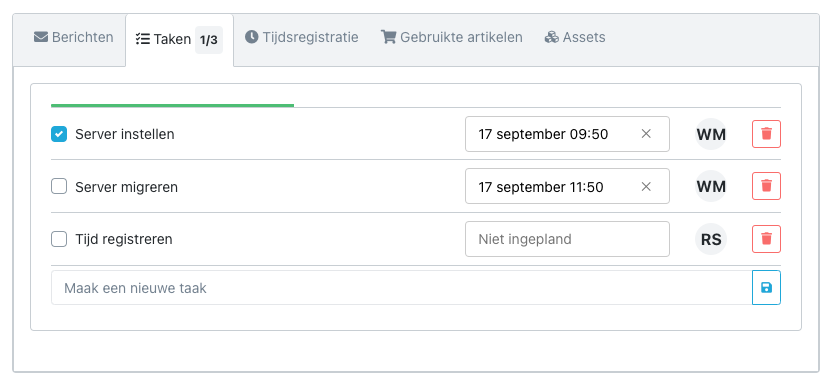
Tasks can now be registered on a ticket. These can be scheduled and assigned to an employee.

CleanShot 2021-09-16 at 10

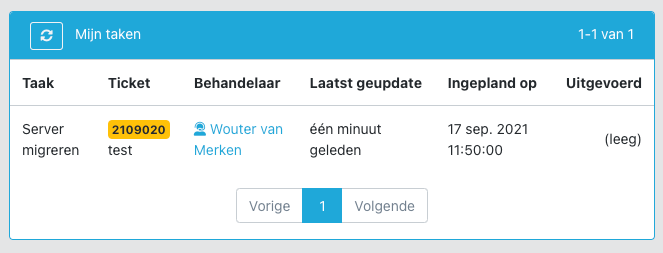
A table is also available in the menu, and a Cockpit widget has been created for it.

CleanShot 2021-09-16 at 10

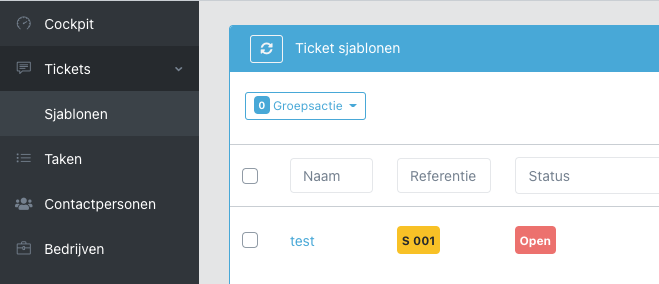
Ticket templates

With a ticket template, frequently recurring tasks can be captured in a standard process. All ticket information can also be stored in a template.

See https://help.inserve.nl/help/hoe-werkt-een-ticket-sjabloon/.

image

Time lines in contracts in self-service portal

As an addition to update 1.7.3, the time lines that fall within a contract are now also visible in the self-service portal, so the customer can see the accountability of, for example, prepaid hours.

Filters in export

The export now takes filters into account. If you want to export only the tickets of one company, select the company and click 'Export xx tickets'.

CleanShot 2021-09-16 at 21

Extended statistics

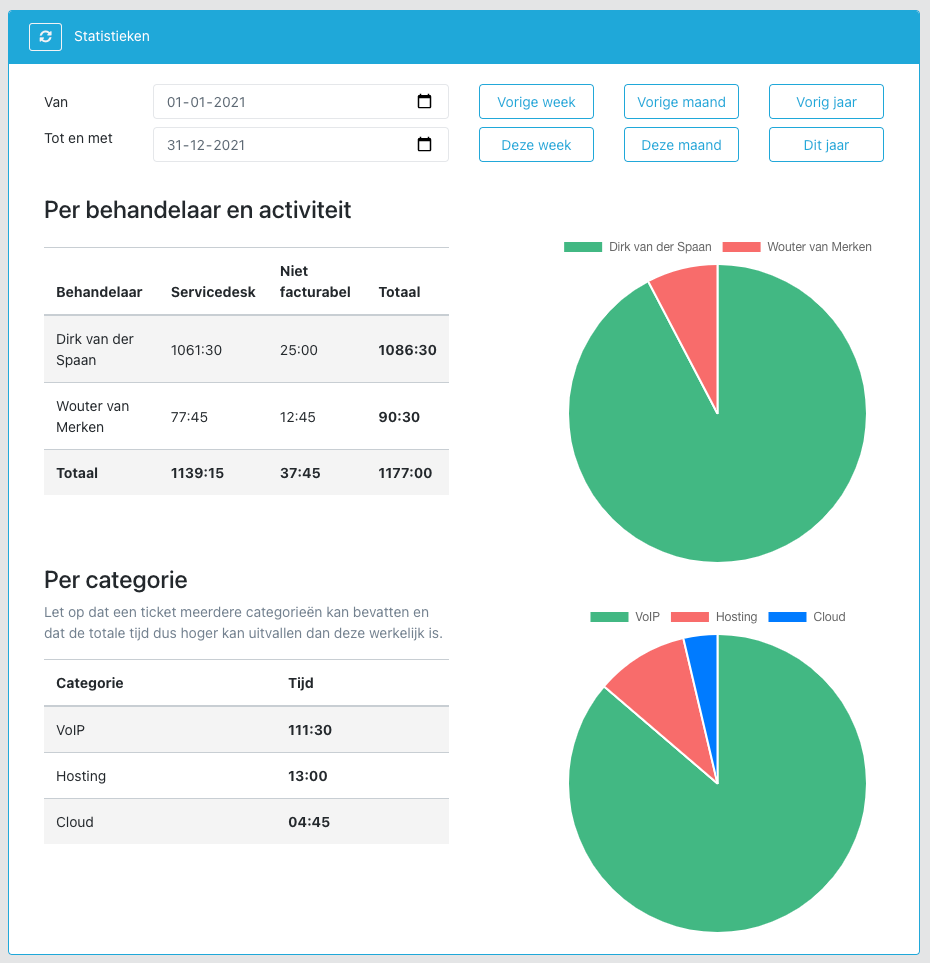
The statistics have been expanded. It is now possible to see time spent per activity broken down by handler. It can also be viewed per category. This will be further expanded in the coming period.

The Time lines and Used products have received their own table with a corresponding export (which can also be filtered).

CleanShot 2021-09-16 at 10

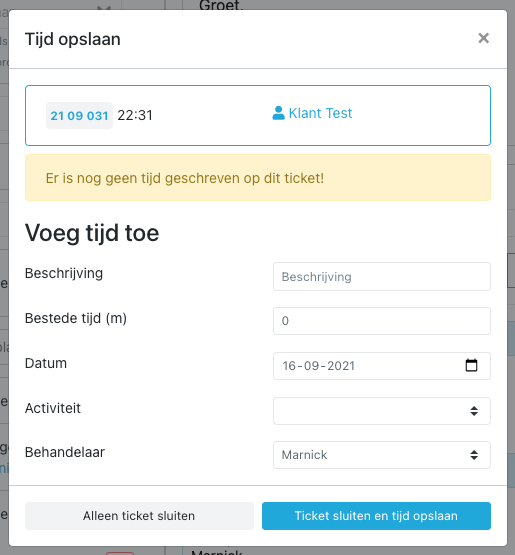
Enter time when closing a ticket

When closing a ticket without time registration, a pop-up will ask you to enter time.

CleanShot 2021-09-16 at 22

Miscellaneous

  • Minor UI improvements and fixes

  • A 'Refresh' button has been added to every screen to quickly reload data. Work is still being done on an 'auto-refresh' so that changes are loaded immediately

  • This week the file server was moved to our own hosting for better uptime

⬅ Vorige 7 van 10 pagina's (100 product updates) Volgende ➡