Book a demo

1.7.3 - Prepaid Hours and Time Registration Portal

In the background we are still working on a few major features, such as SLA monitoring, ticket checklists and ticket templates. But in the meantime, we have some useful things for you!

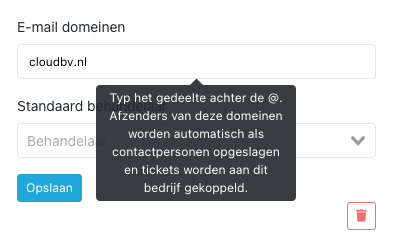
Configurable email domains

In companies you can now enter domains from which emails may be received. Contact persons will then automatically be created and linked to the company.
CleanShot 2021-07-19 at 11

Prepaid hours top-up in portal

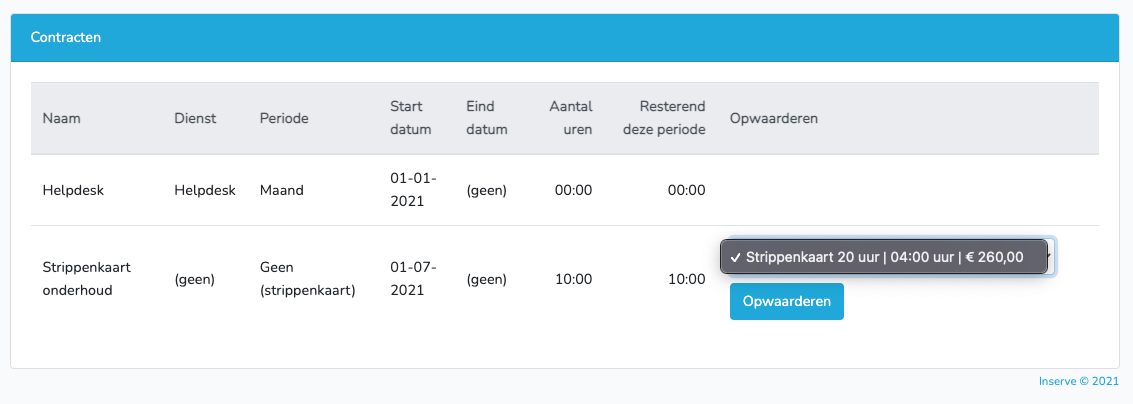
It is now possible to let customers top up their prepaid hours directly from the portal. When your customer chooses to top up, an invoice is immediately created and sent to your billing package.
CleanShot 2021-07-19 at 11

This is then immediately visible at the contract and the hours have been increased.

CleanShot 2021-07-19 at 11

Make time registration visible in portal

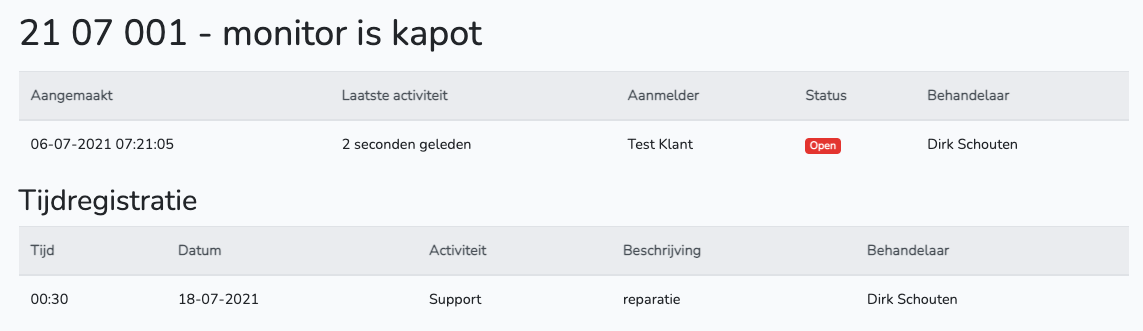
If you give a contact person the role "Time registrations", they can see the time registration of their tickets.

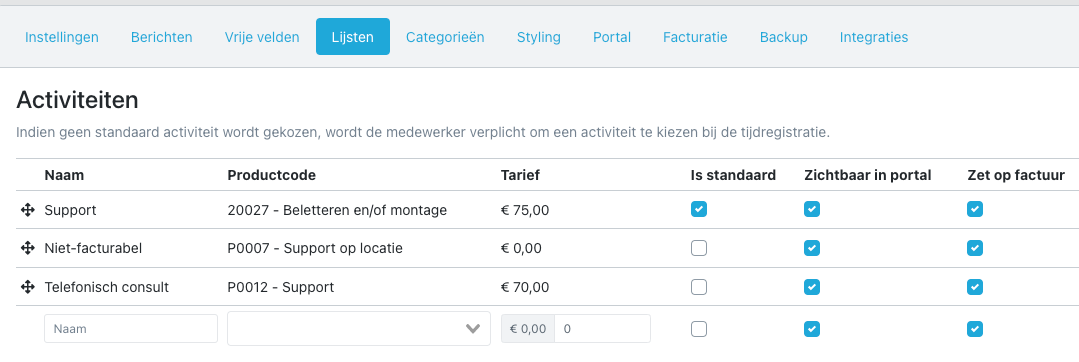
Per activity you can indicate whether it may be visible. For internal hours or non-billable activities, you can choose to never show these to the customer.
CleanShot 2021-07-19 at 11

Hide activities from invoice

Some activities do not need to be invoiced, and you also don't want them to appear on the invoice at a zero rate. In that case, you can now configure this under Settings > Lists > Activities.
CleanShot 2021-07-19 at 11

HostFact integration customer portal

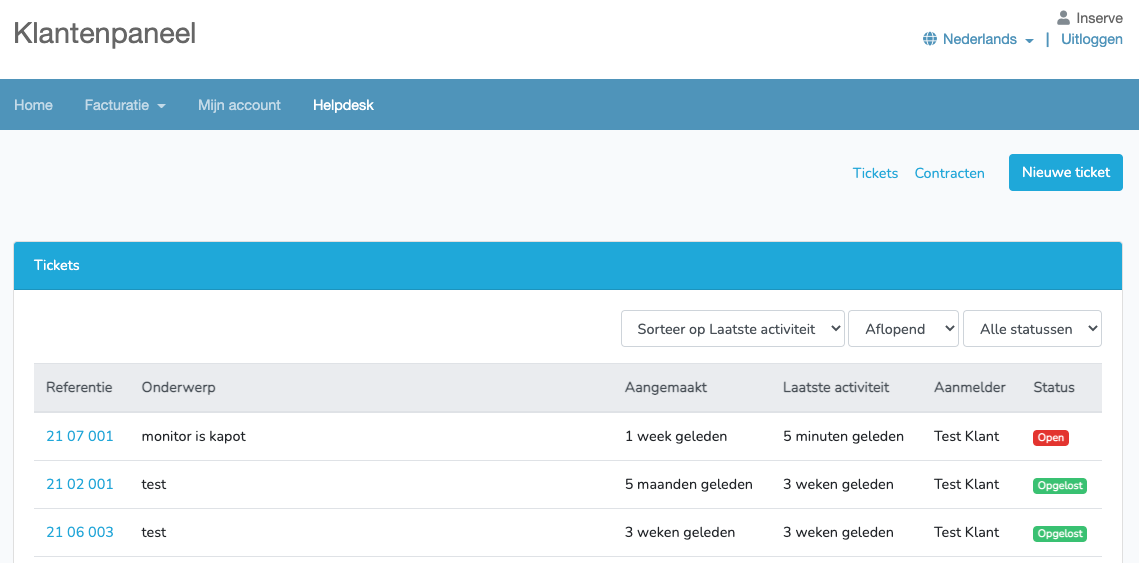
With a plugin it is now possible to load the portal in HostFact as an iframe. The user does not need to log in twice, as tickets are loaded based on the debtor.
CleanShot 2021-07-19 at 12

See https://github.com/innovaat/hostfact-inserve for the plugin and installation instructions.

Log in as customer in portal

It is now possible to log in to the portal as the contact person with one click. This is useful to check whether the permissions are set correctly, or when a customer reports something isn't right.
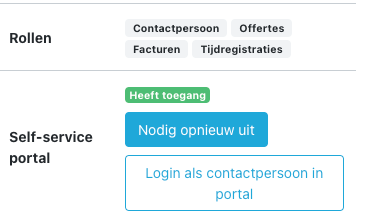
CleanShot 2021-07-19 at 12

e-Boekhouden integration

A seamless integration has been added for the accounting package e-Boekhouden.

image

1.7.2 - Minor Improvements

This update brings a number of small but useful improvements:

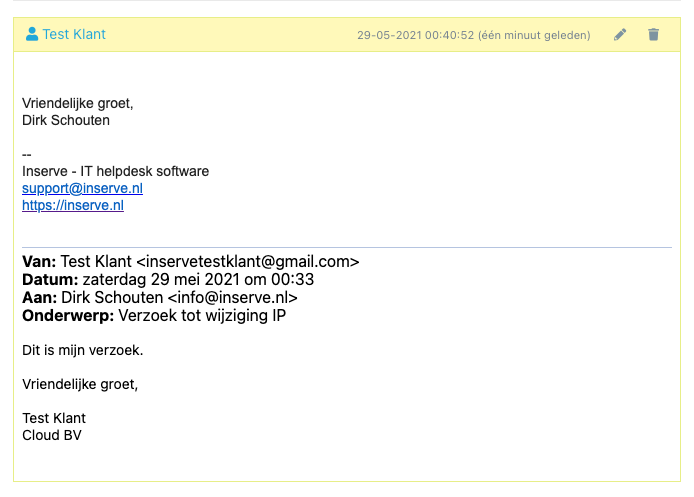
Customizable email footer

Sometimes you want to refer customers to your terms and conditions in all communications, or share specific contact details. That is now possible in the settings.

CleanShot 2021-05-29 at 00

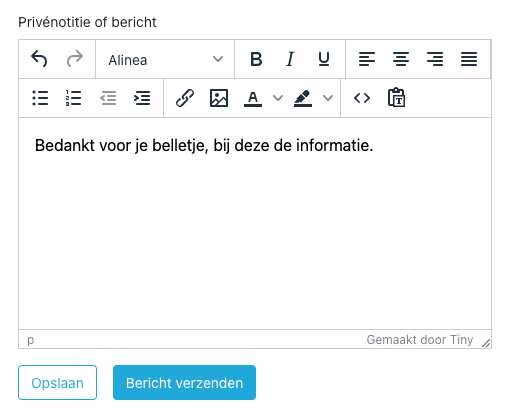
Send a message directly when creating a ticket

Sometimes when creating a ticket, you want to immediately send a message to the customer. That is now possible with one click.

CleanShot 2021-05-29 at 00

Email forwarding from another mailbox

Customers sometimes keep sending requests to the personal mailboxes of employees. Or sometimes an email comes in at the info@ inbox but still needs to become a ticket. In that case, the email can be forwarded to the support@ address and the original contact and company will be selected automatically.

CleanShot 2021-05-29 at 00

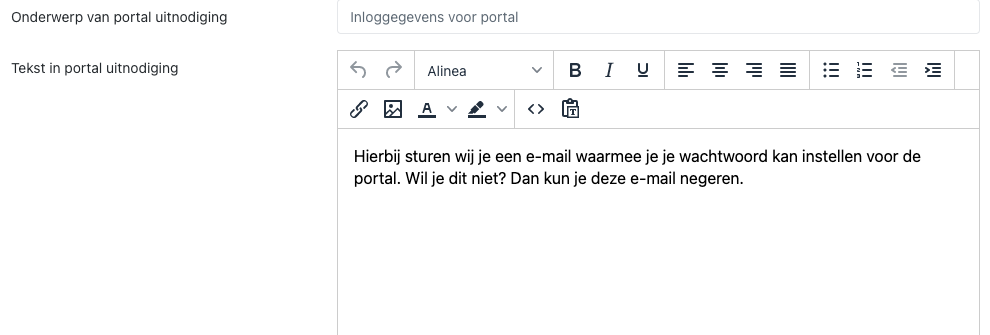
Customizable portal invitation text

To give your customer more instructions, the text can now be adjusted.

CleanShot 2021-05-29 at 00

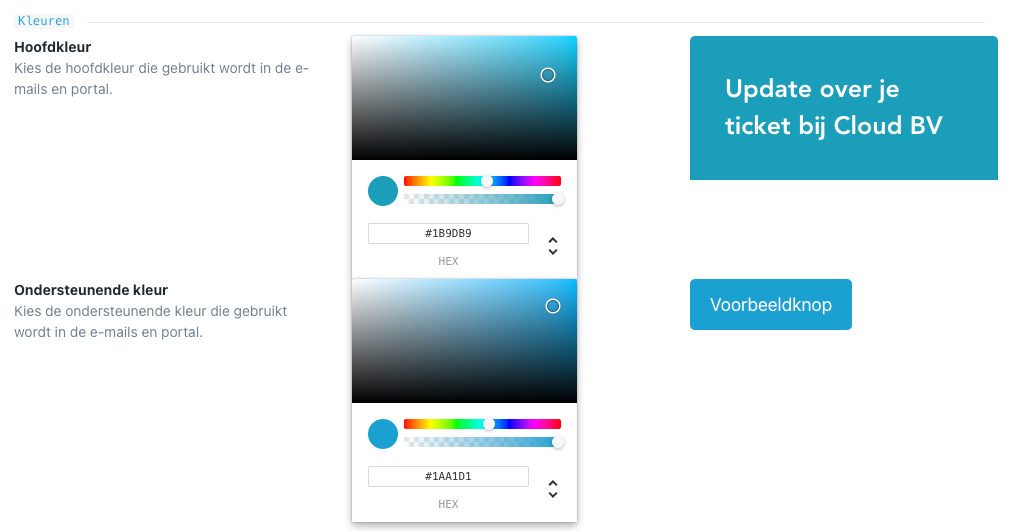
Second color in portal and emails customizable

To better align emails and the portal with your brand identity, the second color of bars and buttons is now also customizable.

CleanShot 2021-05-29 at 00

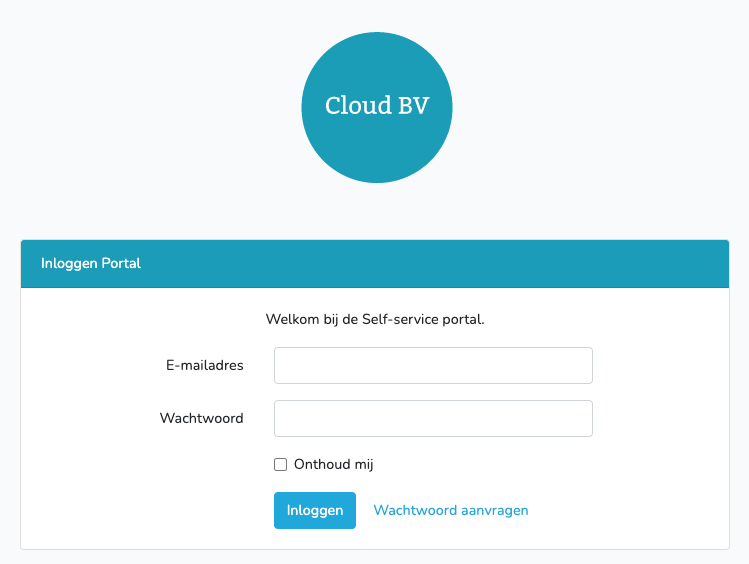
Portal login

CleanShot 2021-05-29 at 00

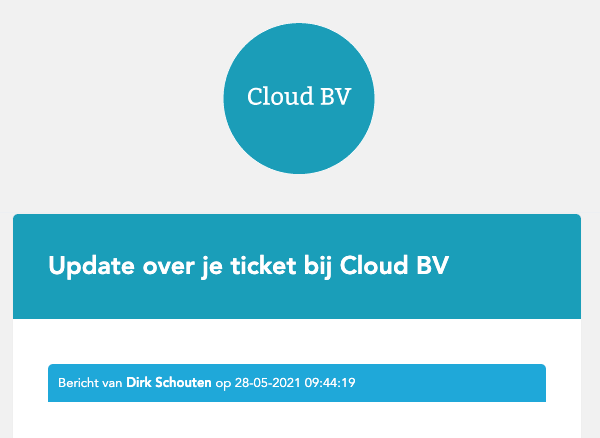
Email notification

CleanShot 2021-05-29 at 00

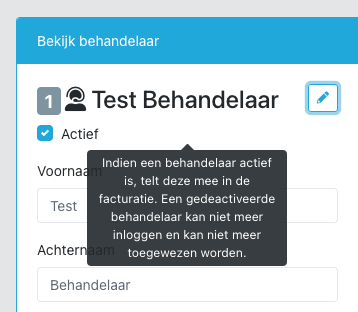
Deactivate handlers

Sometimes you don't want a former employee or intern to keep appearing in all selection lists, but you still want to keep the history. In that case, you can now deactivate a handler:

CleanShot 2021-05-29 at 00

1.7.1 - Work Order

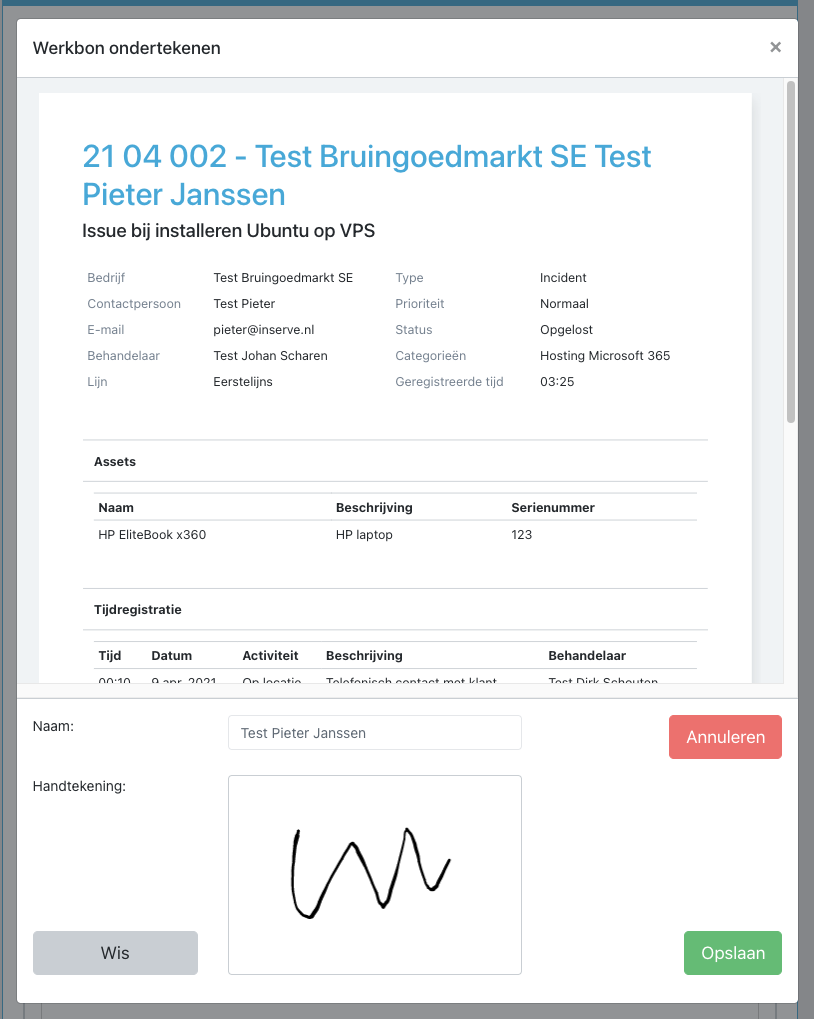
It is now possible to have your customers sign a work order on location. This can prevent disputes later on. After signing, the work order is immediately emailed to the contact person.

See https://help.inserve.nl/help/hoe-laat-ik-een-werkbon-tekenen/ for more details.

image

1.7 - Table Quick Choices and Scheduling Tickets

Table quick choices

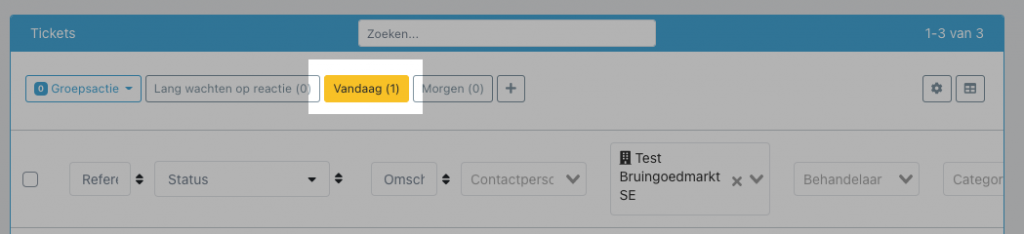
You can now save the columns and filters of a table as a quick choice button. These are shared across your entire company; administrators can modify them.

image

See also: https://help.inserve.nl/help/hoe-gebruik-ik-de-tabel-snelkeuzes-en-cockpit/

Customizable Cockpit

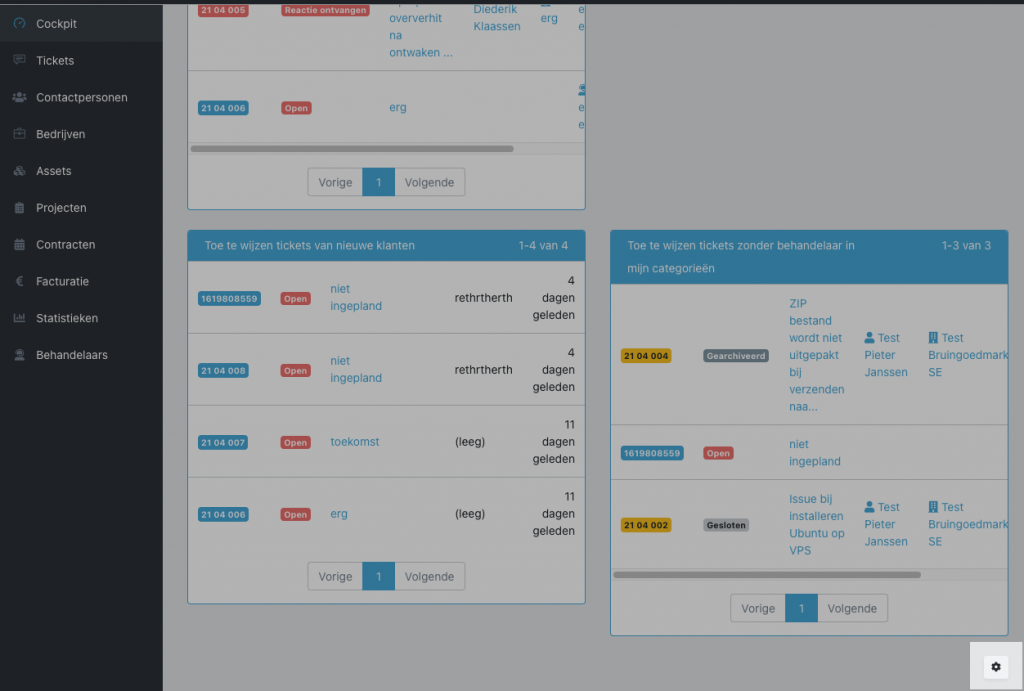
The Cockpit widgets are now also configurable, so you can see your company's workload at a glance.

image

Scheduling tickets

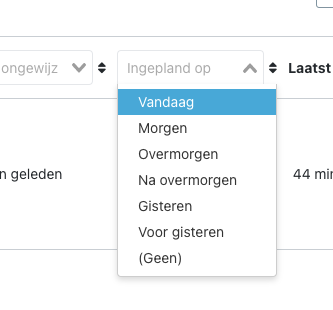
Tickets can now be scheduled for a date. The planning can be viewed with the 'Scheduled on' filter, and especially through smart quick choices.

image

See also: https://help.inserve.nl/help/hoe-plan-ik-tickets-in/

Long-open tickets filter

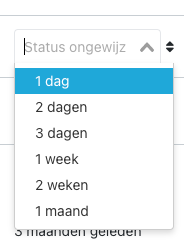
With a new filter you can now filter tickets where the status has not been changed for a certain period. In particular in combination with the status 'Waiting for reply', this gives a list of tickets that probably require action.

CleanShot 2021-05-04 at 15

Other

Additionally, a few adjustments:

  • Priorities are now customizable. You can add or remove a level and adjust the order yourself

  • It is now possible to link multiple companies to a contract, so that hours are added up together. Invoicing still goes to the individual companies

  • Status filter design updated to be more compact

  • From this version, a pop-up is shown when an update is ready, to prevent error messages in the application

1.6.6 - Multiple Choice Custom Field

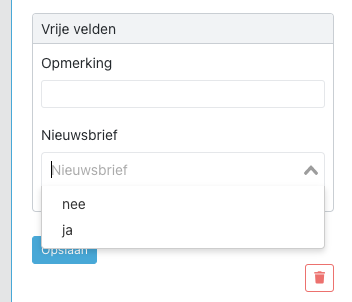
It is now possible to create a custom field with a multiple choice option instead of a text field. This is useful when you want to limit choices and make it easy to filter in the table view.

See https://help.inserve.nl/help/hoe-voeg-ik-een-meerkeuze-vrij-veld-toe/

image

1.6.5 - Customizable Columns

Customizable columns

A major front-end update: the choice and order of columns in all overview tables are now fully customizable.

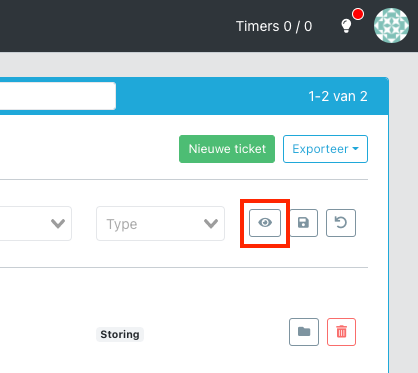
Use this button to open the 'Customize columns' dialog:

Screenshot 2021-03-12 at 23

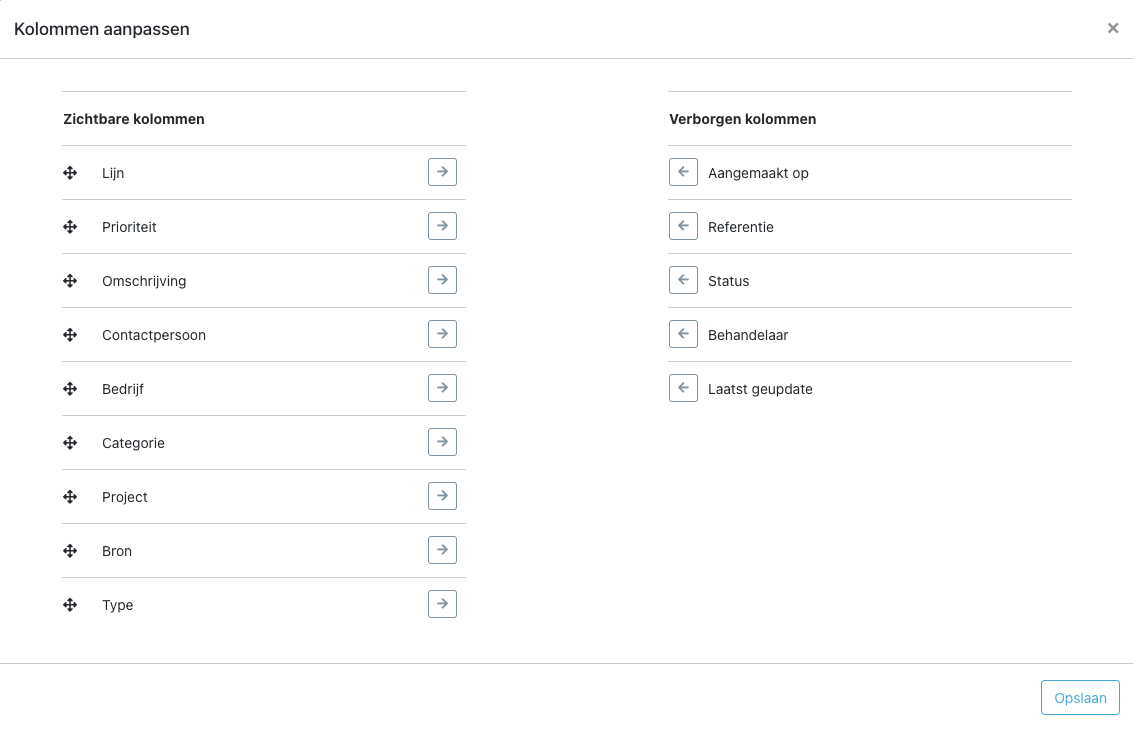
There you can show or hide columns by clicking the arrows. The order of columns can be adjusted by dragging.

image

Clicking Save stores the settings in the database for you as a user, so they are applied everywhere you are logged in (after refreshing the page).

In the coming period we will continue to make more columns available. Please let us know if you're missing a column.

Custom fields as a column

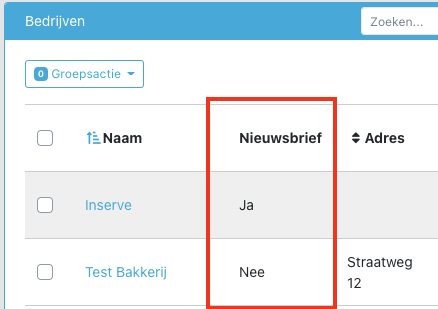
An honorable mention for the Custom fields column. This is now also available if a custom field has been created in the settings.

image

Changing the order of various lists

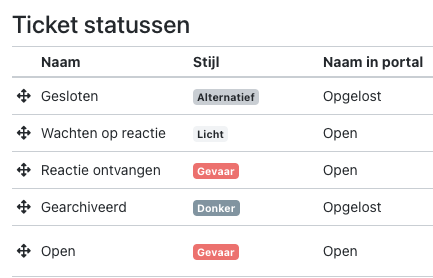
The order of various selection lists can now also be adjusted under Settings by dragging the arrows. This lets you put the most-used options at the top, or sort options alphabetically for readability.

The following lists can be adjusted:

  • Activities

  • Ticket types

  • Ticket sources

  • Ticket statuses

  • Custom fields

  • Quick replies

  • Categories

  • Asset categories

For example:

image

Bug fixes

This release also includes a series of bug fixes.

1.6.4 - IMAP Mailbox Reading

IMAP mailbox reading

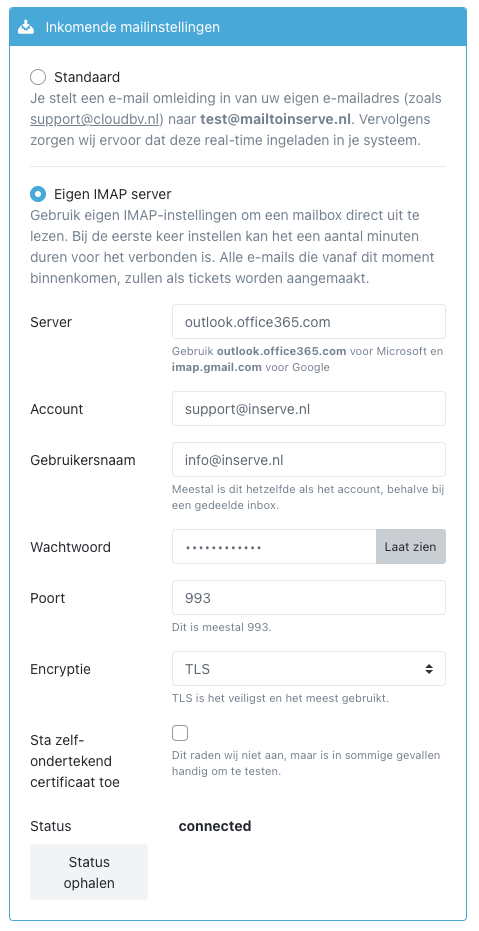
It is now possible to read a mailbox directly via IMAP, instead of setting up a redirect rule to the @mailtoinserve.nl address. The advantage of this is that there are no SPF issues and delays in Microsoft's outgoing spam filter are avoided.

Go to Settings to configure it, see https://help.inserve.nl/help/hoe-lees-ik-mijn-eigen-mailbox-uit-met-imap.

image

SMTP security

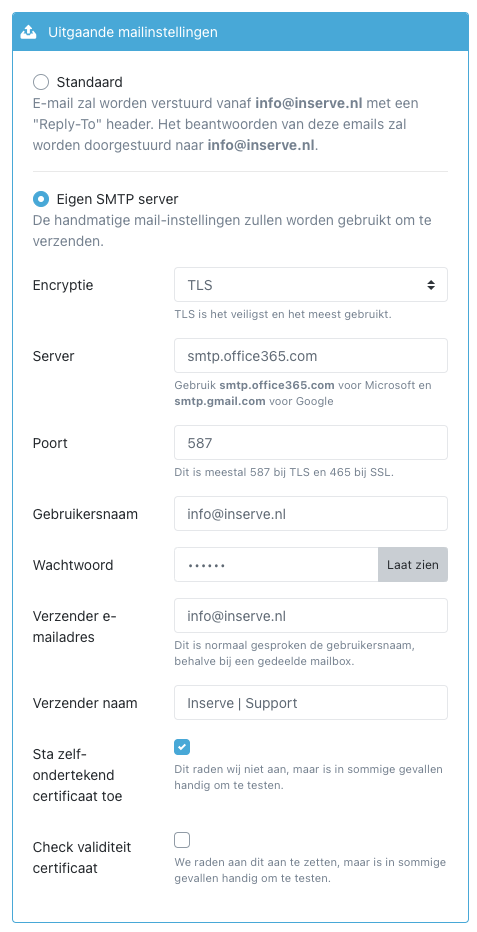
Additionally, the default settings for SMTP have become more secure. The certificate is now verified correctly. If you experience issues with this, you can choose to temporarily disable the security checks. However, we always recommend addressing the certificate issues so that a secure connection is used.

See https://help.inserve.nl/help/hoe-gebruik-ik-mijn-eigen-smtp-server.

image

1.6.3 - More Message Actions and Notes on Companies

More actions available for notes and messages

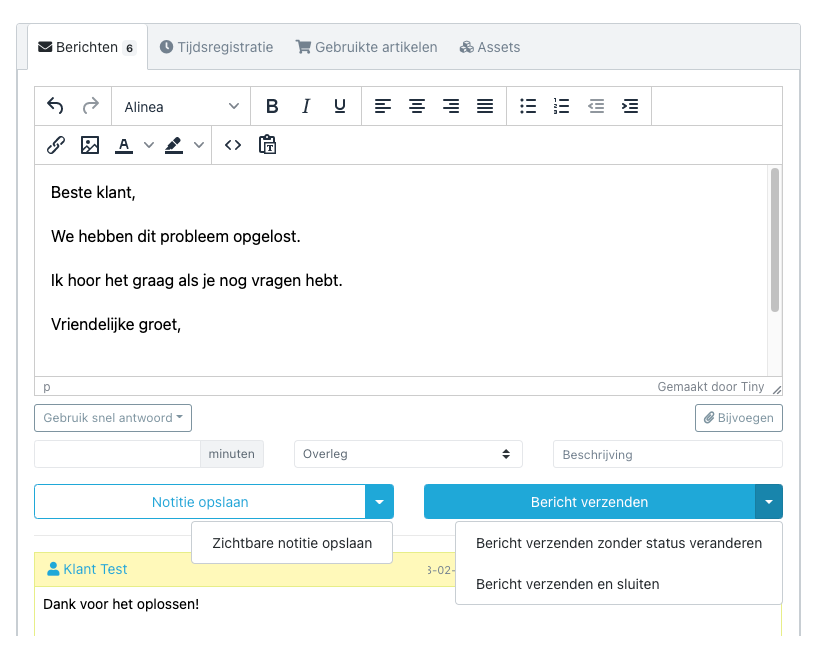
It is now possible when saving a note to directly make it 'visible to customer'. This way messages become visible in the self-service portal, but customers won't be overwhelmed with emails.

When sending a message, the ticket can also be closed directly, or a message can be sent without changing the status. By default, the ticket gets the 'Waiting for reply' status when sending a response.

message_actions

Add a note to companies

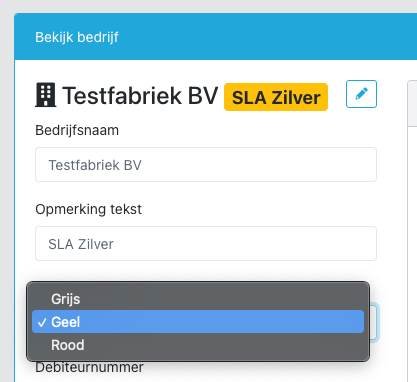
A note can now be added to a company that is displayed everywhere in Inserve. This is useful for short information that must be immediately visible when handling tickets. Think of situations like:

  • A customer has cancelled and you want to prevent providing free support to them

  • A customer has an important service contract and you always want to prioritize them

  • A certain customer always needs the manager in the CC

  • And so on

The text and color can be set on the Company detail page:

Screenshot 2021-02-18 at 20

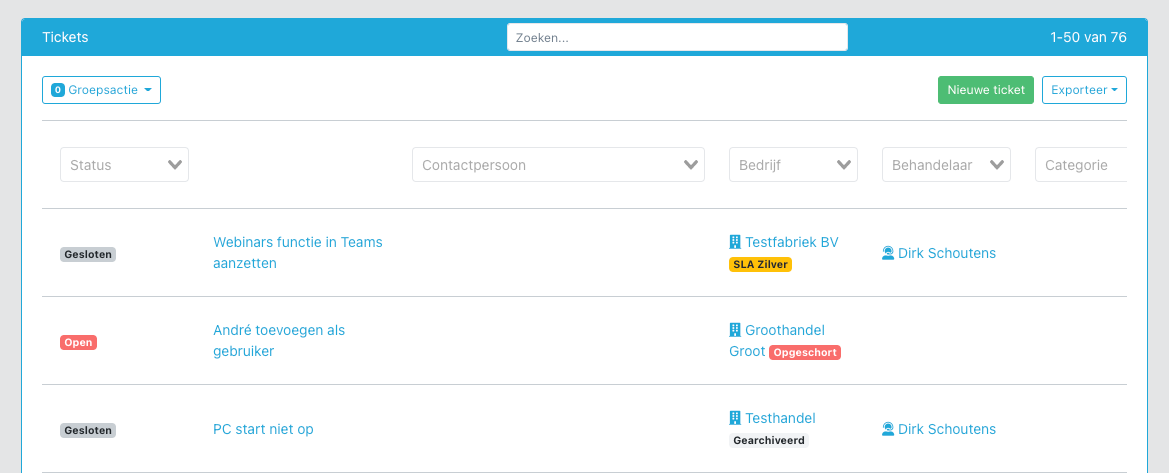
This note is then shown everywhere in Inserve:

Screenshot 2021-02-18 at 20

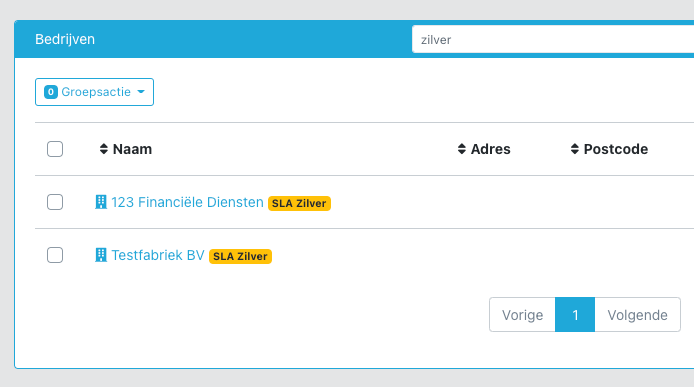
Companies can also be searched by text:

Screenshot 2021-02-18 at 20

1.6.2 - Export Feature

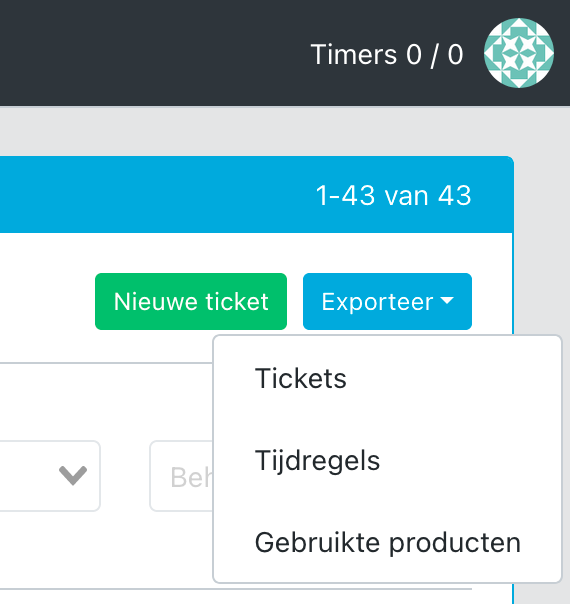
An export feature has been added to all tables. You can now download a CSV file and open it in Excel, run your own analyses, import it into other software, or load it into Power BI.

Click 'Export' in the top right of a table:

Screenshot 2021-02-17 at 08

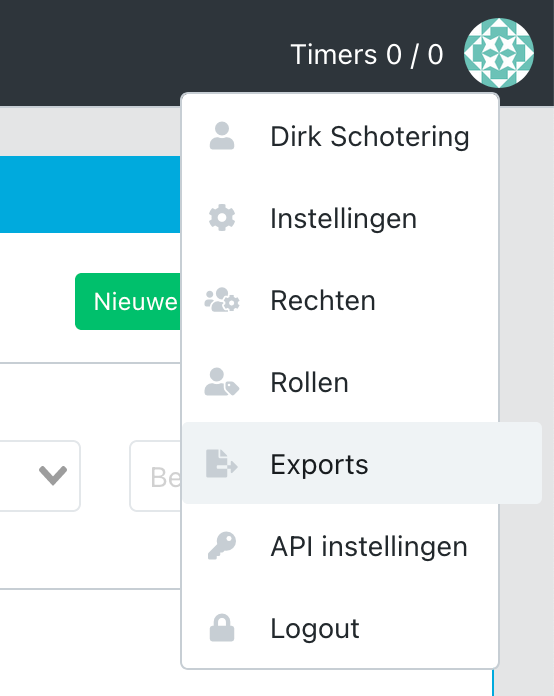
Then go to Profile menu > Exports:

Screenshot 2021-02-17 at 08

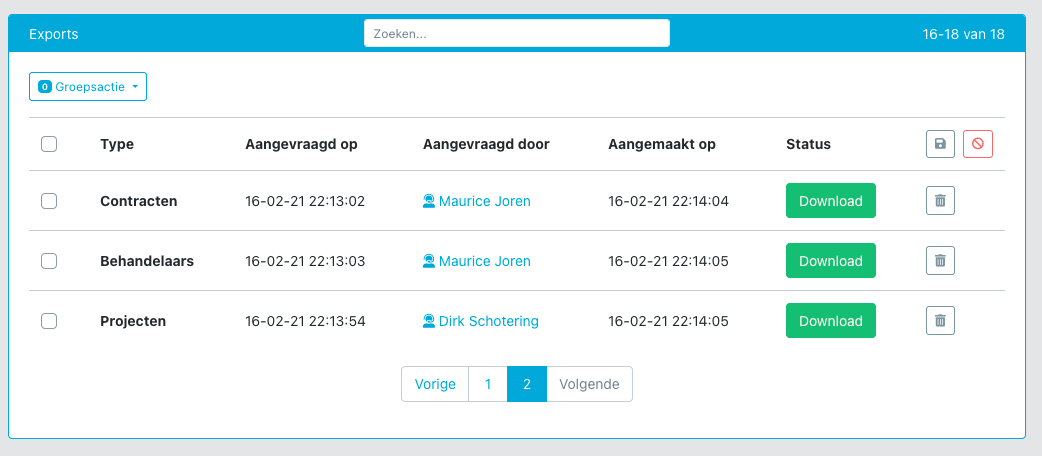
Then you see an overview of requested exports:

Screenshot 2021-02-16 at 22

These are processed every minute, after which you receive an email and it becomes available for download in this overview.

1.6.1 - Backup Feature

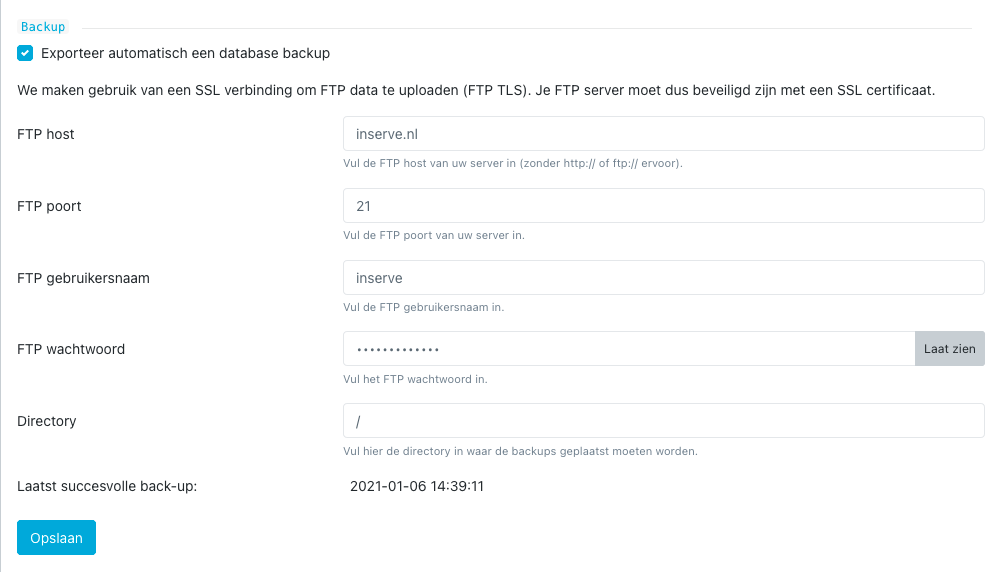
The biggest addition is the database backup capability to your own FTP location. Additionally, many minor improvements, including:

  • You can now reply to an email notification, after which your message is added to the ticket and sent to the customer, provided you are a handler

  • Customer messages can be hidden

  • Clearer indication of which messages come from customers

  • Images in emails are now displayed directly in the email by most web clients

  • A ticket can no longer be deleted if time or products have been registered on it

  • The email system on the back end has been updated to allow IMAP reading in the future

  • Products are cached so that unnecessary calls to billing packages are avoided

Screenshot 2021-02-12 at 23

⬅ Vorige 8 van 10 pagina's (100 product updates) Volgende ➡